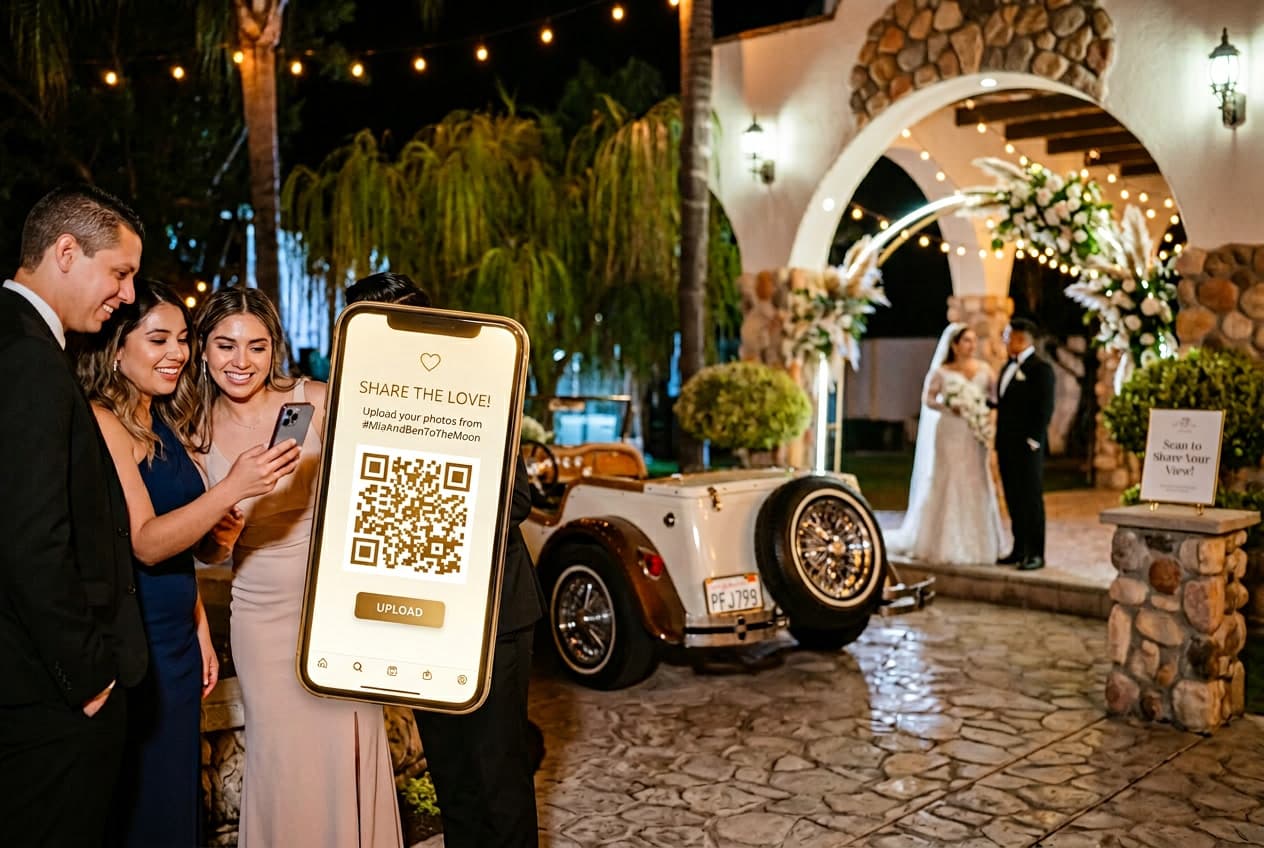
Your guests took somewhere between 200 and 2,000 photos at your wedding. Right now, those photos live on their phones. Most of them will still be there six months from now — unsent, unseen, slowly buried under screenshots and food pics.
The "I'll send them to you!" promise after a wedding has about a 15% follow-through rate. We made that number up, but you know it's right.
The wedding guest photo upload problem isn't new. What's new is that in 2026, there are finally solutions that work without requiring your guests to do anything complicated. Let's break down every option — what actually gets results and what doesn't.
The Methods, Ranked by How Many Photos You'll Actually Get
1. QR Code Upload (Winner by a Mile)
A QR code at every table that guests scan with their phone camera. Their browser opens an upload page. They select photos. Done. No app, no login, no account.
Why it works: The entire upload takes 10 seconds and happens in the moment — while guests are still at the wedding, still excited, still have their phone in hand. Contrast this with every other method that relies on guests remembering to do something after they leave.
We've built our entire platform around this approach. Across hundreds of events this spring, the pattern is consistent: the biggest upload surges happen between 9pm and midnight (dance floor photos), with a second wave the morning after when guests scroll through their camera roll. Nearly 60% of our weddings happen on Saturdays, and those generate the highest volume because more guests means more phones.
Cost: $20-50 depending on platform. WeddingSnap is $39.99 one-time with unlimited uploads.
2. Shared Google Photos Album
Create a shared album, generate a link, text it to everyone.
The reality: Requires every guest to have a Google account (many iPhone users don't use Google Photos). The link is easy to lose in a text thread. Google compresses photos, destroying print quality. No video support worth mentioning. And guests have to remember the link exists after the wedding.
Typical result: 10-15 contributors out of 150 guests. The tech-savvy ones.
3. Shared iCloud Album
Same concept, Apple's ecosystem. Works beautifully — if every single guest has an iPhone with iCloud enabled.
The problem: Android guests (roughly 45% of the US market, higher globally) are completely excluded. You'll get half the wedding at best.
4. Group Text / WhatsApp Thread
Someone creates a group, everyone dumps photos in.
The mess: Photos get compressed to unusable quality. The thread becomes a chaotic scroll of 400 images mixed with "lol great night" messages. Good luck finding anything. No way to download in bulk. And someone always gets annoyed by the notifications and mutes the thread before uploading.
5. Dedicated App (Download Required)
Platforms like WedShoots require guests to download an app from the App Store.
The friction problem: Every download requirement cuts your participation in half. According to data from The Knot, browser-based solutions consistently outperform app-based ones. Your uncle is not downloading an app at dinner. Your grandmother definitely isn't.
6. "Send Them to Me Later"
The non-strategy strategy. You verbally ask guests to email or text you their photos after the wedding.
What happens: Your maid of honor sends hers the next day. Your college friend sends a few a week later. Everyone else forgets. By month two, the window has closed permanently.
What Makes the Difference: Friction
Every method lives or dies on one variable: how many steps does the guest have to take?
| Method | Steps for Guest | Typical Participation |
|---|---|---|
| QR code (browser) | Scan → Upload → Done | 50-70% of guests |
| Shared Google Photos | Open link → Sign in → Upload | 10-15% |
| iCloud Album | Accept invite → Open app → Add | 20-30% (iPhone only) |
| App download | Download → Create account → Upload | 15-25% |
| Group text | Open thread → Select → Send (compressed) | 20-30% |
| "Send later" | Remember → Find photos → Email/text | 5-15% |
The QR code approach wins because it reduces the guest experience to two taps in a moment when they're already holding their phone. There's nothing to remember later, nothing to download, nothing to sign into.
How to Maximize Uploads on Wedding Day
Even with the best system, placement and timing matter. Here's what we've learned from watching upload patterns across our platform:
- Put cards on every table, not just one sign. Cards on tables get picked up. Signs get walked past.
- Have the DJ mention it once. "Scan the QR code on your table to share your photos tonight." This single announcement consistently more than doubles upload rates.
- Don't wait until dinner. Put a QR code at cocktail hour. The first uploads often come from guests milling around with a drink.
- Add a game layer. Wedding I Spy games ("spot the best dressed guest," "capture the flower girl's reaction") turn uploading into entertainment.
After the Wedding: What You Get
With a QR code system, most uploads happen within 24 hours. By the time you're on your honeymoon flight, your album is already filling up.
What guests capture that photographers don't:
- The dance floor from inside the crowd — not from the edge with a long lens
- The speeches from the guest perspective — the crowd's reaction, not just the speaker
- The after-party that nobody planned but everyone remembers
- Getting-ready moments from the bridal suite — the photographer might have left already
- The goodbye send-off at midnight
These become the photos couples tell us they love most. Not because the quality is better than the photographer's — because the perspective is one the photographer could never have.
Choosing a Platform
If you're going the QR code route (you should), the key features to look for are:
- No app download — browser-based is essential
- No guest login — any barrier drops participation
- Video support — half the best moments are video
- Full-resolution downloads — you'll want to print these
- Voice messages — an underrated bonus that adds emotional depth
We built WeddingSnap around all five. $39.99 one-time, no subscription, unlimited uploads. But there are other solid options too — see our comparison of the best wedding photo sharing apps in 2026.
Want to try it? Check out a live demo — no signup required.