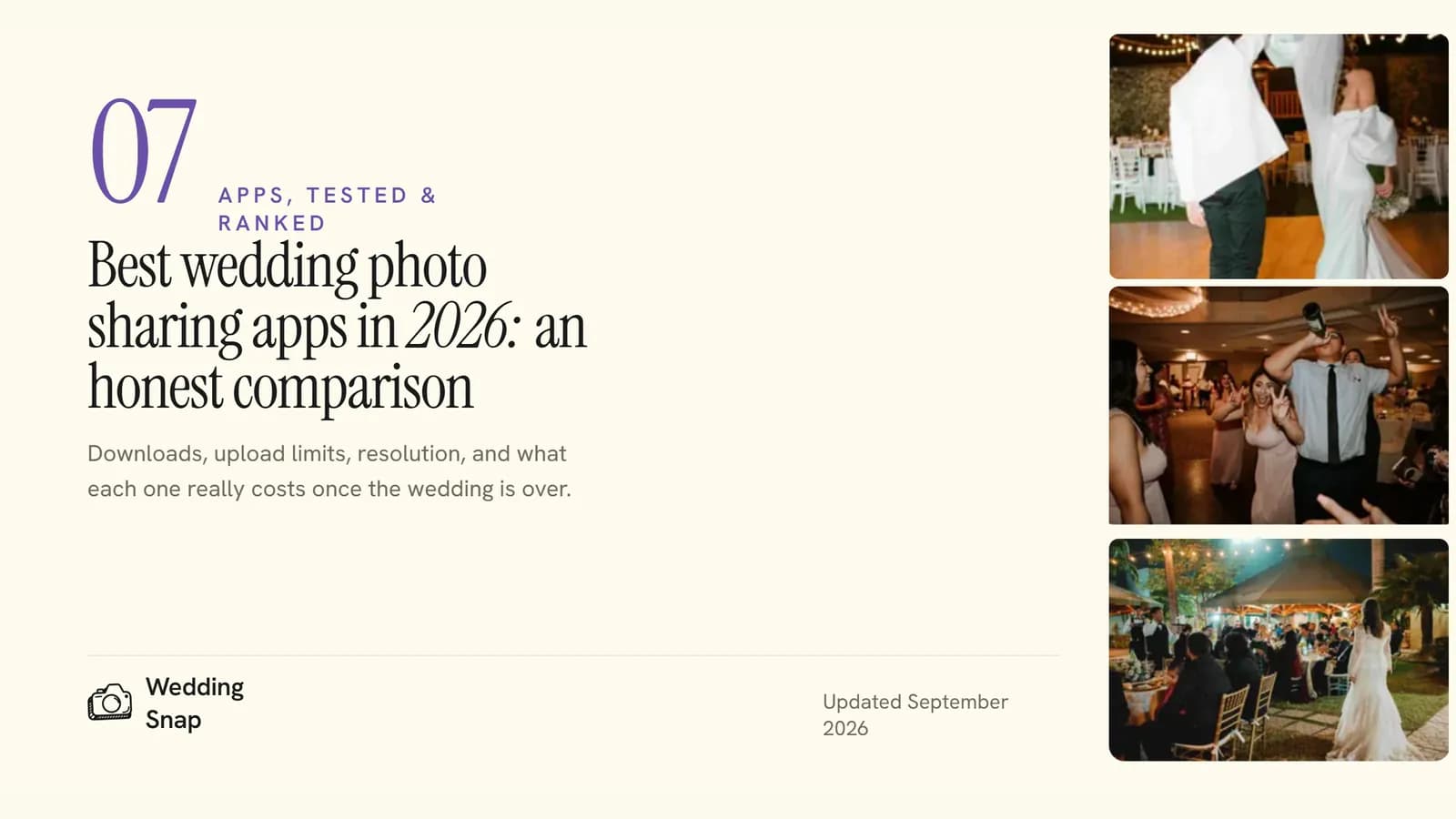
Best Wedding Photo Sharing Apps in 2026: An Honest Comparison
WeddingSnap Team
9/20/2026
Full disclosure: we build one of these apps. WeddingSnap is our product, and yes, we think it's the best pick for most weddings. But we're not going to pretend the others don't exist, and a few of them do certain things really well.
Every other "best of" list in this space is either a competitor ranking themselves first or a blog that has never used any of them. So this is the comparison we wished existed: seven wedding photo apps, plus Google Photos as the free fallback, with real prices checked on each company's own website on September 17, 2026.
The short answer
The best wedding photo sharing app depends on whether you care most about the lowest price, the simplest guest experience, or extras like a live slideshow and an audio guestbook. Our quick picks:
- Best overall: WeddingSnap. Guests scan a QR code and upload from their browser, with no app and no account. $39.99 one time gets unlimited photos, videos and guests, a live slideshow, an audio guestbook, and a full-resolution download of everything. See what's included.
- Best free option: Google Photos, if your guests already have Google accounts and you don't need anything wedding-specific.
- Best for a projector-first party under 500 uploads: Kululu. Its live photo wall is excellent. The catch is that unlimited uploads cost $99.
- Best all-in-one planning tool: Wedibox, if you want RSVPs, seating and a wedding website behind the same QR code.
- Best for separate galleries per event: GuestPix, with a bundle that covers the shower, the bachelorette and the wedding.
What actually matters when choosing
After working with hundreds of couples, we've learned that the features couples think they care about and the ones that decide whether they end up with 60 photos or 600 are different things.
The number one factor is guest friction. If a guest has to download an app, create an account, or remember a code, a big share of them simply won't bother. In our own galleries, the weddings that put a QR code on every table and let guests upload from their browser collect far more photos than the ones that ask anyone to install something. We're not going to invent a percentage for you, but the pattern is consistent enough that we'd call it the single biggest factor on this list.
After that, in order:
- Upload window and gallery lifetime. Some apps close uploads after 7 days or 3 months. Guests keep sending photos for weeks.
- Video included. Some of the best moments are video, not photos. Check that video is in the base price.
- Full-resolution downloads. You'll want to print these. Compressed or watermarked downloads are a dealbreaker.
- How you pay. One-time fee, subscription, or per-guest pricing. Most weddings only need one event, so a one-time price usually wins.
- Extras. QR sign templates, a live slideshow for the reception, and voice messages are the ones couples actually use.
How we compared
Prices and features below come from each company's own pricing and feature pages, checked on September 17, 2026, and linked in the sources at the bottom. Where a free tier or demo exists, we ran the guest upload flow from a phone. All prices are in US dollars for a single wedding.
The seven apps, compared honestly
WeddingSnap: best overall
What it is: QR code photo and video sharing with voice messages and a live slideshow, built around one private gallery. Guests scan, the upload page opens in their browser, and everything lands in one place. No app, no account, no code to remember.
Pricing: $39.99 one time for the Signature package: unlimited photos, videos and guests, 50 GB of storage (roughly 10,000 photos), and 12 months of access. No subscription and no per-guest fees. Printed QR cards or signs are an optional add-on from $74.99 all in, which includes the Signature package and US shipping. There's a 30-day money-back guarantee on the software fee.
Guest experience: Scan the QR code, tap upload, pick photos, done. It works on every phone. Guests can also record a voice message in the audio guestbook, and people who can't make it can leave one from the link.
What you get afterwards: Play the gallery as a live slideshow on any screen at the reception, then download everything at full resolution in a single ZIP. The gallery stays live for 12 months. The download is yours forever.
Extras: 24 free print-ready QR templates, twelve table cards and twelve full-page signs, so you can print at home or at a local shop. See the full feature list.
Trade-off: The gallery expires after 12 months, so you do need to download your ZIP within the year. There's no free tier, only a live demo.
Best for: Couples who want maximum guest participation with minimum friction, with the slideshow and audio guestbook included rather than sold as add-ons.
Want to see it before you decide?
Open the live WeddingSnap demo and try the guest upload flow yourself. No signup required.
GuestPix: best for separate galleries per event
What it is: A browser-based gallery where guests add photos, videos and messages without registering. Packages include unlimited uploads, full-resolution ZIP downloads, a photo-and-video slideshow, and more than 180 editable Canva templates for signs and table cards.
Pricing: Classic is $49 with a 3-month upload window and 12 months of hosting. Signature is $89 and extends the upload window to 12 months. The Signature Bundle is $119 and gives you three separate galleries with 24 months of uploads and storage, which suits a bachelorette weekend, a shower and the wedding itself.
Trade-off: The Classic upload window closes after three months, and there's no audio guestbook. The Canva integration is the standout: matching signs and table cards are easy.
Best for: Couples running several events who want a gallery for each. We also wrote a head-to-head: WeddingSnap vs GuestPix.
Wedibox: best all-in-one planning tool
What it is: One QR code that handles photo and video uploads, an audio guestbook, a wedding website and a live slideshow, plus RSVPs, meal tracking and seating on the top plan. Guests upload from their browser with no login.
Pricing: The $49 Wedding plan covers most weddings, with unlimited uploads, a 6-month upload window and a year of storage. The $79 All-In-One plan adds RSVPs, seating and the rest, with a 1-year upload window and 2 years of storage. There's a free plan, but it stops at 50 uploads, so it only works for a very small event.
Trade-off: When a guest scans expecting to upload photos and sees RSVP, seating, guestbook and audio options, the extra choices slow them down. There's also no face search for finding yourself in crowd shots.
Best for: Couples who want one QR code for everything wedding-related rather than a focused photo tool. Head-to-head: WeddingSnap vs Wedibox.
Kululu: best for a projector-first party under 500 uploads
What it is: Browser uploads plus a live photo-and-video wall you run on a TV or projector during the reception. No app, no account.
Pricing: The free plan takes up to 100 uploads, but guests only have 24 hours to send them and the photos are kept for 7 days, so it's really for an elopement or a courthouse wedding. Plus is $39 for up to 500 uploads, a 1-month upload window and 3 months of storage. Pro is $99 for unlimited uploads, a 3-month upload window, a year of storage and moderation tools.
Trade-off: The photo wall is genuinely excellent, but you can't use Kululu without limits unless you pay $99 for Pro, and even Pro closes uploads after three months. If the live wall is the main thing you want, note that WeddingSnap includes a live slideshow with unlimited uploads and a 12-month window at $39.99.
Best for: A projector-first party where you expect fewer than 500 uploads and don't mind the 3-month storage limit.
GuestCam: best if you want a phone-in guestbook number
What it is: Photo, video and voicemail collection through a QR code. No app, no signup. It includes a live slideshow, editable Canva signs and a one-click ZIP download.
Pricing: Standard is $49 with a 6-month upload window and 12 months of storage. Premium is $97, extends storage to 14 months and adds multiple galleries. Add-ons cost extra: a dedicated phone number for the audio guestbook is $30 and face search is $45.
Trade-off: The voicemail feature is cool, but the base price is higher than WeddingSnap's and the extras add up. Voice messages are included in WeddingSnap's $39.99 package. There are also no automated moderation tools.
Best for: Couples who specifically want guests to phone in messages. Head-to-head: WeddingSnap vs GuestCam.
WedUploader: best for Google Drive users
What it is: Guest photos and videos go straight into your own Google Drive. Guests upload via a link or QR code with no app or account. Albums never expire, but storage depends on your Google account's limits.
Pricing: $59 one time for the full premium package: unlimited guests, albums and uploads, voicemails, a private guestbook, a live photo wall and QR templates. A seating chart add-on is $19.
Trade-off: Because everything lives in Drive, you skip the transfer step after the wedding. But the customization is thinner than the others, and your Google storage does the heavy lifting.
Best for: Couples who already sort and store their photos in Google Drive.
WedShoots: a free app, if guests will install it
What it is: A traditional wedding photo app with unlimited uploads, private albums, high-resolution downloads and a projector view. It's free.
Trade-off: It's not browser-based. Guests have to download the app from the App Store or Google Play and enter an album code, and that's exactly the friction that costs you photos. Free is great, but not if a chunk of your guests never install it.
Best for: Tech-comfortable wedding parties where you're confident everyone will download an app, and couples who want zero cost above all.
Google Photos: the free fallback
Google Photos doesn't usually come up on a list of wedding photo sharing apps, but it's the most common answer on Reddit, so it belongs here. Create a shared album, share the link or a QR code, and guests add their photos. It costs nothing and most people already know the interface.
Trade-off: Guests need a Google account to contribute, so anonymous uploads aren't possible and some relatives will stall at the sign-in screen. The free 15 GB is shared with Gmail and Drive, which fills fast once video arrives. And there's nothing wedding-specific: no sign templates, no voice messages, and none of the reception features the paid apps include. If you're weighing a free all-in-one wedding site instead, see WeddingSnap vs Joy.
Best for: Small, informal weddings on a tight budget where every guest has a Google account.
Wedding photo app comparison
| App | Price | App download? | Guest login? | Video | Gallery lasts | Live slideshow | Audio guestbook |
|---|---|---|---|---|---|---|---|
| WeddingSnap | $39.99 one time | No | No | Unlimited, 50 GB | 12 months | Yes | Yes |
| GuestPix | $49 Classic, $89 Signature, $119 Bundle | No | No | Unlimited | 12 to 24 months | Yes | No |
| Wedibox | Free (50 uploads), $49 Wedding, $79 All-In-One | No | No | Unlimited on paid plans | 1 to 2 years | Yes | Yes |
| Kululu | Free (100 uploads, 24-hour window), $39 Plus (500 uploads), $99 Pro | No | No | Yes | 7 days to 1 year | Yes | No |
| GuestCam | $49 Standard, $97 Premium, add-ons extra | No | No | Unlimited | 12 to 14 months | Yes | Yes |
| WedUploader | $59 one time | No | No | Unlimited, Google storage limits apply | No expiration | Yes | Yes |
| WedShoots | Free | Yes | Album code | Yes | No stated limit | Projector view | No |
| Google Photos | Free | No | Yes, to contribute | Yes | Until deleted | No | No |
Prices checked on each company's website on September 17, 2026. US dollars, one wedding.
The only app on this table with no download, no login, a live slideshow and an audio guestbook for under $40 is ours.
Set up your gallery in a couple of minutes. $39.99 once, with a 30-day money-back guarantee, or try the live demo first.
How to choose
If you're still not sure which wedding photo sharing app to pick, here's the quick version:
- Tight budget: Google Photos or WedShoots, as long as your guests will sign in or install.
- Lots of older guests: WeddingSnap, GuestPix, GuestCam or WedUploader. Browser upload, no account, nothing to remember.
- Video-heavy crowd: WeddingSnap, GuestPix or Wedibox, where video is unlimited in the base price.
- Printed QR cards and signs shipped to you: WeddingSnap.
- Live wall on a projector: Kululu if you expect under 500 uploads, WeddingSnap if you don't.
- RSVPs and seating on the same QR code: Wedibox.
Head-to-head questions we get asked
Kululu vs GuestPix
Kululu is the better live photo wall and the cheaper way in at $39, but that plan stops at 500 uploads and 3 months of storage. GuestPix costs $49 and up, keeps uploads unlimited, and has far better print templates through Canva. Pick Kululu for the wall and GuestPix for the signage and multiple galleries. If you want the wall and unlimited uploads at Kululu's price, WeddingSnap is the middle path at $39.99.
GuestCam vs Kululu
GuestCam is stronger on audio: voicemails are included and a dedicated phone number is a $30 add-on. Kululu wins on the reception display. Neither is cheaper than WeddingSnap for a full-featured single wedding, which includes both voice messages and the live slideshow. Read our full WeddingSnap vs GuestCam comparison.
Looking for a Kululu or GuestPix alternative?
The usual reasons people switch are Kululu's upload caps below the $99 Pro plan and GuestPix's 3-month upload window on Classic. WeddingSnap has neither: unlimited uploads and a 12-month window for $39.99, one time. Wedibox is the other alternative worth a look if you also want RSVPs.
How to get guests to actually upload photos
Whichever app you choose, the setup at the venue matters as much as the software:
- Put a QR code on every table instead of one sign by the door. Free QR sign templates make this a 10-minute job.
- Ask the DJ or emcee to mention it three times: at the start of the reception, before food, and about an hour before the end.
- Put the link on your wedding website and in the group chat the morning after.
- Print a photo prompt on the back of each table card so guests know what to shoot.
- Add QR codes near the bar, the restrooms and the guestbook.
For a full walkthrough of how QR codes for wedding pictures work, from setup to printing, see our guide.
Frequently asked questions
Do guests need to download an app?
Only for WedShoots. WeddingSnap, GuestPix, Wedibox, Kululu, GuestCam and WedUploader all work in the phone's browser: scan the QR code, upload, done. Google Photos needs a Google account rather than an app.
Do older guests actually use these?
Yes, if there's no app to install. Scanning a QR code works the same way as a restaurant menu, which most people got used to years ago. The drop-off happens when the platform asks for a download or an account.
Is Google Photos good enough?
For a small wedding where every guest has a Google account and you don't want a slideshow, voice messages or signage, yes. It's the wrong fit if you want anonymous uploads, a gallery that stays separate from everyone's personal library, or anything built for the reception itself.
What happens to the photos after the wedding?
Every paid app on this list keeps your gallery for somewhere between 7 days and 2 years, depending on the plan. Download everything before access ends and the files are yours forever. WeddingSnap gives you a full-resolution ZIP and 12 months to grab it.
How much should we pay for a wedding photo sharing app?
Free plans can work for a tiny, informal event. For a wedding you'll want the photos from forever, the paid options run from $39.99 to $119 for a single event, and the difference is mostly upload limits, storage length and extras like slideshows and printed signs. Watch for subscriptions: a monthly plan costs more by the time the gallery expires. We rounded up the wedding photo apps with no subscription separately.
The most important thing isn't which platform you choose. It's that you choose one. Couples who set up any QR code system collect dramatically more guest photos than those who rely on AirDrop, text threads and "I'll send them later" promises.
Ready to collect every photo from your wedding?
Set up your WeddingSnap gallery in a couple of minutes for $39.99, paid once, or see the live demo first. No app for your guests, and a 30-day money-back guarantee for you.
Sources
Prices and features checked on September 17, 2026: