How to Share Wedding Photos With Guests in 2026 (The Method That Actually Works)
WeddingSnap Team
5/10/2026
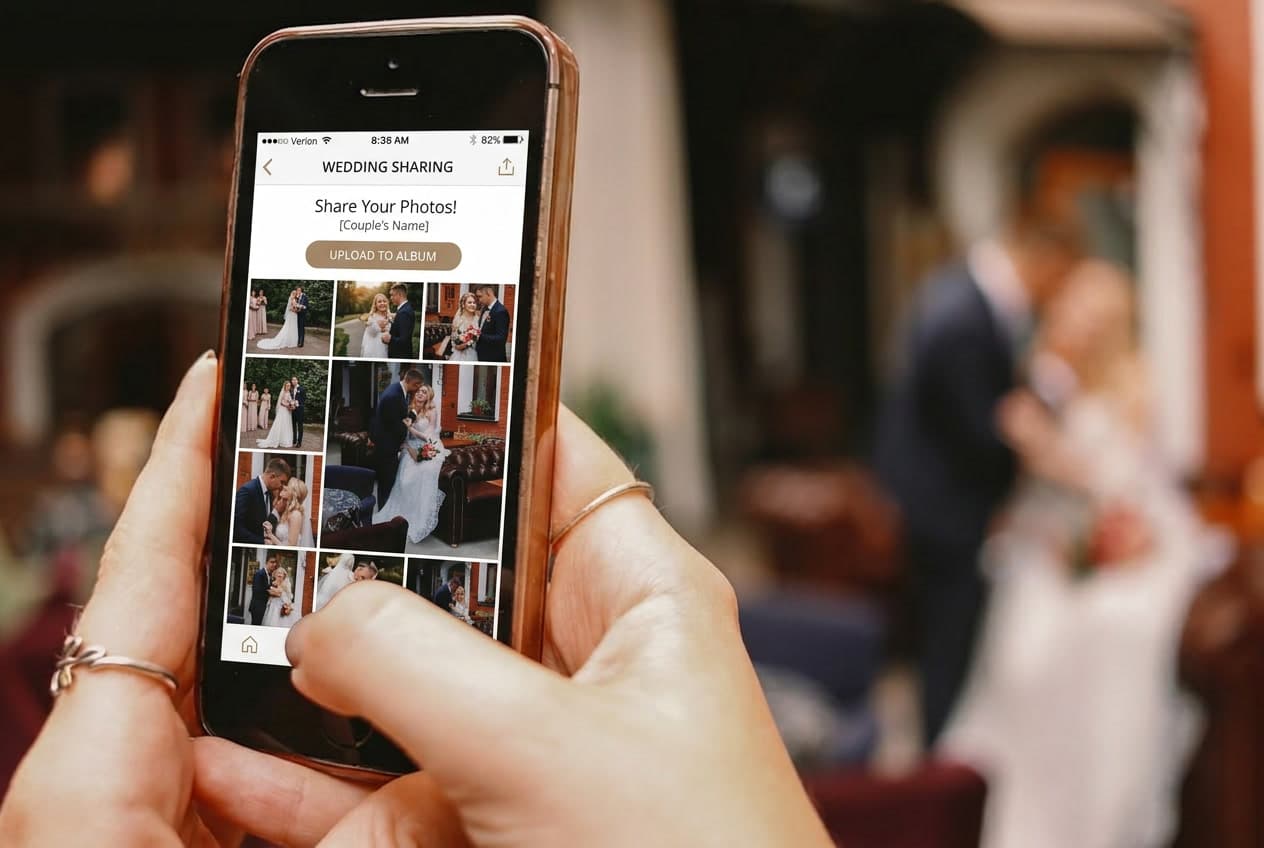
There are two separate problems couples face with wedding photos: collecting photos from guests, and sharing your professional photos back to guests. Most guides conflate them. They're different problems with different solutions.
This article covers both — clearly and honestly, based on what couples on our platform actually end up doing vs. what they planned.
Part 1: Collecting Photos From Guests During the Wedding
This is where most couples focus their energy, and rightly so — the candid shots guests capture are often the most treasured photos from the day. Your professional photographer can only be in one place at a time. Guests are everywhere.
Peak wedding season in our data runs April through June — about half of all weddings happen in a three-month window. During this season, we consistently see that couples with a dedicated collection system end up with significantly more guest photos than those relying on direct sharing or hashtags. The method matters far more than most couples expect.
Method 1: Wedding QR Code (Best Overall)
A QR code that links to a private upload page is currently the gold standard for collecting guest photos. It works on any smartphone, requires no app download, takes guests directly to an upload button, and deposits every photo into your gallery automatically.
How it works: You create an event on a platform like WeddingSnap, get a QR code, display it on table cards and signs at your venue. Guests scan, upload, done. You wake up the morning after your wedding with hundreds of photos in your gallery.
Why it works: The lower the friction, the higher the participation. Every extra step (app download, account creation, password entry) costs you roughly half your potential participants. Browser-based QR code platforms eliminate all of that.
What to watch out for: Choosing a generic QR code generator (which just points to a URL) instead of a purpose-built wedding platform. You need somewhere for the photos to actually go — a gallery with privacy controls, download management, and storage. See our complete guide to wedding QR codes for platform recommendations and setup walkthrough.
Method 2: Wedding Hashtag (Fading Fast)
The Instagram hashtag approach — create a custom tag like #SmithJones2026, put it on table cards, hope guests use it — was popular around 2018-2022. It's declining sharply for a few reasons:
- Only works for guests with public Instagram accounts
- Many people (especially guests over 45) don't use Instagram or don't post publicly
- You don't own the photos — Instagram does, and algorithm changes or account deletions can make them disappear
- Quality varies wildly because you're competing with the entire hashtag space
- No centralized download option — you have to screenshot or use a third-party tool
A hashtag can still work as a supplement — some guests will post on social media regardless — but it's not a reliable primary collection strategy in 2026.
Method 3: Shared Google Photos Album
Creating a shared Google Photos album and putting the link on table cards is a common DIY approach. It works, with caveats:
Pros: Free, most guests already have Google accounts, familiar interface.
Cons: Requires guests to have or create a Google account. The invite link gives guests full access to add and delete photos — including your own. Anyone who receives the link can share it further. Guests can see each other's photos in real time before you've reviewed them. No native QR code generation, so you'll need a third-party QR generator to link to it.
For small weddings (under 40 guests, all of whom you trust with a Google account link), a shared album works fine. For larger weddings, the privacy and management trade-offs add up.
Method 4: Text or AirDrop Requests
Asking guests to text you their photos, or relying on AirDrop at an Apple-device-heavy reception, is the most chaotic method and doesn't scale past about 15 people. It works at a micro-wedding or an intimate family dinner. For a 100+ person reception, it produces weeks of follow-up messages.
Part 2: Sharing Your Professional Photos Back to Guests
After the wedding, you'll eventually get a gallery from your photographer. Here are the cleanest ways to share it.
Share the photographer's gallery link directly
Most photographers deliver via a platform like Pixieset, ShootProof, or Pic-Time. These galleries have built-in sharing — you get a link you can forward to guests. Check whether your photographer's plan allows free downloads for guests, or if there's a download fee per photo.
This is the simplest approach and usually the right one for the professional photos. Just share the link and let guests browse.
Curate a "best of" gallery separately
Your photographer will deliver hundreds of photos. Guests rarely want to scroll through all of them. Consider creating a curated gallery of your 50-100 favorites and sharing that link instead — or alongside the full gallery link. It gives guests an edited highlight reel rather than the raw unedited delivery.
Platforms like WeddingSnap let you create a guest-viewable gallery where you control exactly what's visible and downloadable. You can include both your favorite professional shots and your favorite guest uploads in one place, then share a single link.
The email approach (still works)
A simple email to your guest list with a gallery link and a short note — "Here's a selection of our favorite photos from the day, including some of the incredible candids you all captured" — is warm, personal, and doesn't require guests to be on any platform. Many couples send this as part of their thank-you outreach.
The Combined Strategy: What Actually Works
Based on what couples on our platform end up doing, the setup that produces the best results:
- Before the wedding: Set up a WeddingSnap event, get your QR code, display it on table cards at every table + bar + entrance. Set the gallery to automatically collect uploads from guests.
- During the wedding: Have the MC announce the QR code at the start of dinner. Let guests upload throughout the day and night.
- Day after: Download your guest gallery. Add your favorite professional photos (once you receive them from your photographer).
- One to two weeks later: Share the combined gallery link with guests — both the pro shots and the best candids — in your thank-you outreach.
The result: guests contributed photos and feel genuinely connected to the final album. You have a complete record of the day from every angle. And you didn't spend three weeks chasing anyone down.
For a comparison of all the dedicated platforms available, see our best wedding photo sharing apps roundup — we compare features, pricing, and ease of use across all the major options. And for the full guide to QR code setup and display, see our wedding guest photo upload guide.
Want to see how the QR code collection system works? Watch a live demo → or start for free — no credit card required.