QR Code Photo Album: How the Format Works (2026 Guide)
WeddingSnap Team
7/20/2026
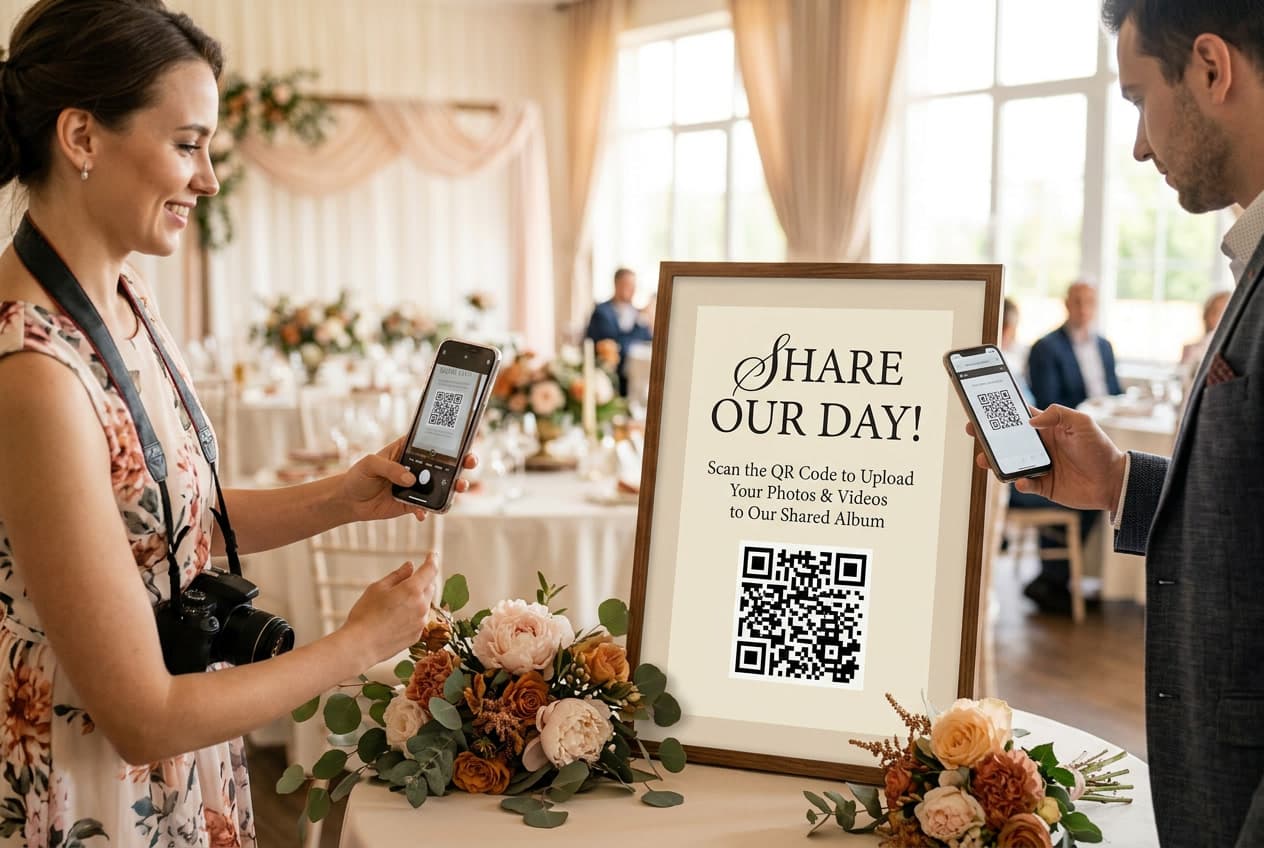
Every guide on the internet will teach you how to make a QR code. Almost none of them tell you what that QR code should point at — and that is the decision that actually determines whether you still have those photos a year from now.
A QR code photo album is a shared, private gallery that guests add to by scanning a code. No app, no account, no hashtag anyone has to remember. The scan takes about four seconds. The album is what you keep.
We run photo collection for thousands of events, and the pattern in our own data is blunt: roughly 6 in 10 events on our platform happen on a Saturday, and around 85% land on a Friday, Saturday or Sunday. That means the overwhelming majority of these albums are born in a six-hour window, on a night when nobody — least of all the hosts — is going to troubleshoot a broken link. Whatever you set up has to work unattended, on the first scan, on a stranger's phone.
The QR code is the door. The album is the house.
This is the framing that most advice gets backwards. People obsess over generating the code, printing the sign, picking the font. All of that takes an afternoon and is essentially a solved problem — we even give away free QR code sign templates so you can stop thinking about it.
The part nobody plans for is day 30. The event is over. The rented linens went back. Your photographer's gallery is still four to eight weeks out. And the only record of what the night actually felt like — the toast from the angle your photographer couldn't reach, the dance floor at 11:40pm, your uncle's blurry, perfect photo of you laughing — lives in that album.
Ask any question about a QR code photo album through the day-30 lens and the answer gets obvious fast. Can you download the originals? Does the link still resolve? Can someone who missed it still add photos? Is anyone paying rent on this thing?
Why a QR code pointing at a Google Drive folder is the worst version of this
Let's take a real stance, because this is the single most common DIY approach and it is genuinely bad. It is all over Pinterest right now — "make a free QR code to your Drive folder" — and it fails in ways that only show up when it's too late to fix.
It hits guests with a permissions wall. Uploading to a Google Drive folder generally requires a signed-in Google account. Your guest scans, gets a sign-in screen, doesn't remember their password, and puts the phone back in their pocket. Google's own support forums are full of couples trying to solve exactly this and being told it isn't really possible.
It asks for an app install at the worst moment. Mobile browser uploads to Drive are unreliable — multi-file selection is fiddly, and uploads stall when the screen sleeps. The workaround is "install the app," which is a hard no for a guest holding a drink at a reception.
There is no real upload path for guests. Drive is built for people who already have accounts and already have the folder. It is a storage product wearing a sharing product's clothes. A guest-facing album needs an upload button that appears immediately, for anyone, with zero identity.
The link dies quietly. Move the folder, change a sharing setting, hit the 15GB free storage ceiling shared across Drive, Gmail and Photos — and every printed card on every table now points at a 404. Fifty guests shooting video will eat that ceiling before the appetizers clear.
The generic-QR-generator version has the same disease with an extra layer: free generators often use redirect domains that expire or start rate-limiting, so your permanent printed sign points at a temporary URL. If you're going to print something and put it on 20 tables, the destination needs to be as durable as the paper.
What a QR code photo album should actually do
Strip away the marketing and there are five things that matter. Use this as your checklist when comparing options:
- Zero-friction upload. Scan to camera roll to uploaded, with no account creation and no app. If a guest has to type an email address, you've lost a meaningful share of them.
- Full-resolution originals. Plenty of platforms silently compress. You want the file your guest's phone actually took, because in five years that's the difference between a print and a thumbnail.
- A bulk download you control. The album should not be the only copy. If you can't export everything in one click, you don't own your photos — you're renting them.
- A stable, permanent link. One URL that never changes, so the sign you printed in April still works in November.
- Host-side moderation. You should be able to remove a photo without asking anyone's permission.
Everything else — live slideshows, guest video messages, audio guestbooks — is genuinely fun, and worth having. But it's garnish on top of those five. If a platform nails the slideshow and fumbles the export, walk away.
Weddings are the biggest use case, not the only one
The format works anywhere a group of people all have cameras and no shared destination. That's a much bigger set of events than the wedding blogs suggest.
Showers and engagement parties. Smaller, more candid, and almost never professionally photographed — which makes guest photos the entire record rather than a supplement. A QR code photo album set up for a shower can simply stay open through the wedding, so the whole arc lives in one place.
Milestone birthdays and anniversaries. The classic failure mode here is 40 photos scattered across 15 group texts. One code on the cake table consolidates all of it.
Family reunions. The strongest case for the format, and the most under-served. Reunions span generations and phone platforms — iPhone-only shared albums instantly exclude half the family. A browser-based album doesn't care what anyone carries.
Corporate events and conferences. Companies want a usable content library out of an event, and a QR code album beats chasing attendees on LinkedIn for photos. Keep the album private, put the code on badges and table tents, and you have a marketing asset by Monday.
Graduations, retirements, memorials. Anywhere the point is collective memory rather than one photographer's coverage.
What our event data says about timing your album
A few patterns from our own platform that should shape when you set this up.
April through June accounts for nearly half of our annual event volume, with May the busiest single month. If you're in that window, you are competing for attention with every other host — get your signs printed early rather than in the last week.
November is a surprisingly strong off-season month, which tracks with what The Knot's Real Weddings Study has shown about couples moving off peak dates to stretch a budget. Friday is the clear number two event day at about 1 in 5, and Monday is the rarest by a wide margin.
The practical read: your album will almost certainly go live on a weekend evening. Test the scan yourself, on a phone that has never seen the link, in a room with mediocre signal, before the day arrives. That single test catches most of what goes wrong.
Keeping the album alive after the event
This is the part that separates a photo album from a photo dump.
Leave uploads open for two weeks. A meaningful share of photos arrive after the event, once guests get home and go through their camera rolls. Closing uploads at midnight throws those away.
Send the link once, three days later. Not the day after. Three days later, when everyone's home and nostalgic, is when reshare rates peak.
Download the full-resolution export immediately. Put it somewhere boring and permanent — an external drive, your own cloud storage. Do this even if your album never expires.
Merge the guest album with the pro gallery. Your photographer's photos and your guests' photos tell different halves of the same story. Keeping them in separate systems means you'll only ever look at one.
Print something. A photo book pulled from the guest album, ordered within the first two months, is the highest-return thing you can do with these files. The album that only lives on a screen gets opened twice.
Where this fits with everything else
If you're still deciding whether to use a QR code at all, start with our complete guide to wedding QR codes, which covers the format end to end. If you've already decided and just want the mechanics of generating one, the step-by-step setup walkthrough is the fastest path. And when it's time to put the thing on paper, our QR code sign templates will save you an afternoon in Canva.
Frequently asked questions
What is a QR code photo album?
A private online gallery that guests contribute to by scanning a QR code with their phone camera. The scan opens a web page where they can upload photos and videos directly — no app download and no account required. The host controls the album and can download everything at full resolution.
Can guests scan a QR code to see photos, not just upload them?
Yes. On most platforms the same code works both directions — guests scan to add their own photos and to browse everything everyone else has added. That two-way behavior is a big part of why participation stays high through the night.
Do guests need to download an app?
They shouldn't have to. Any album requiring an app install will lose a large share of guests, especially older ones. Browser-based albums work identically on iPhone and Android, which matters at events spanning multiple generations.
Can I use a QR code photo album for events other than weddings?
Absolutely — showers, milestone birthdays, family reunions, graduations, corporate events and memorials all work the same way. Anywhere a group of people have cameras and no shared place to put the results.
Should I just use a QR code photo album generator that points to Google Drive?
We'd advise against it. Drive uploads typically require a signed-in Google account, mobile browser uploads are unreliable, free storage caps out quickly, and the link breaks if sharing settings change. A purpose-built album removes every one of those failure points.
How long do the photos stay available?
It varies a lot by platform — some host for 12 months, others indefinitely. Ask before you commit, and regardless of the answer, download a full-resolution copy of everything within the first month.
Set up your album in a couple of minutes
If you want the version of this that doesn't have a permissions wall, an app install, or an expiring link, that's what we built. Guests scan, upload, and browse — you download the originals whenever you want.