The Best Free Wedding QR Code Generators for Photos, Compared (2026)
WeddingSnap Team
10/7/2026
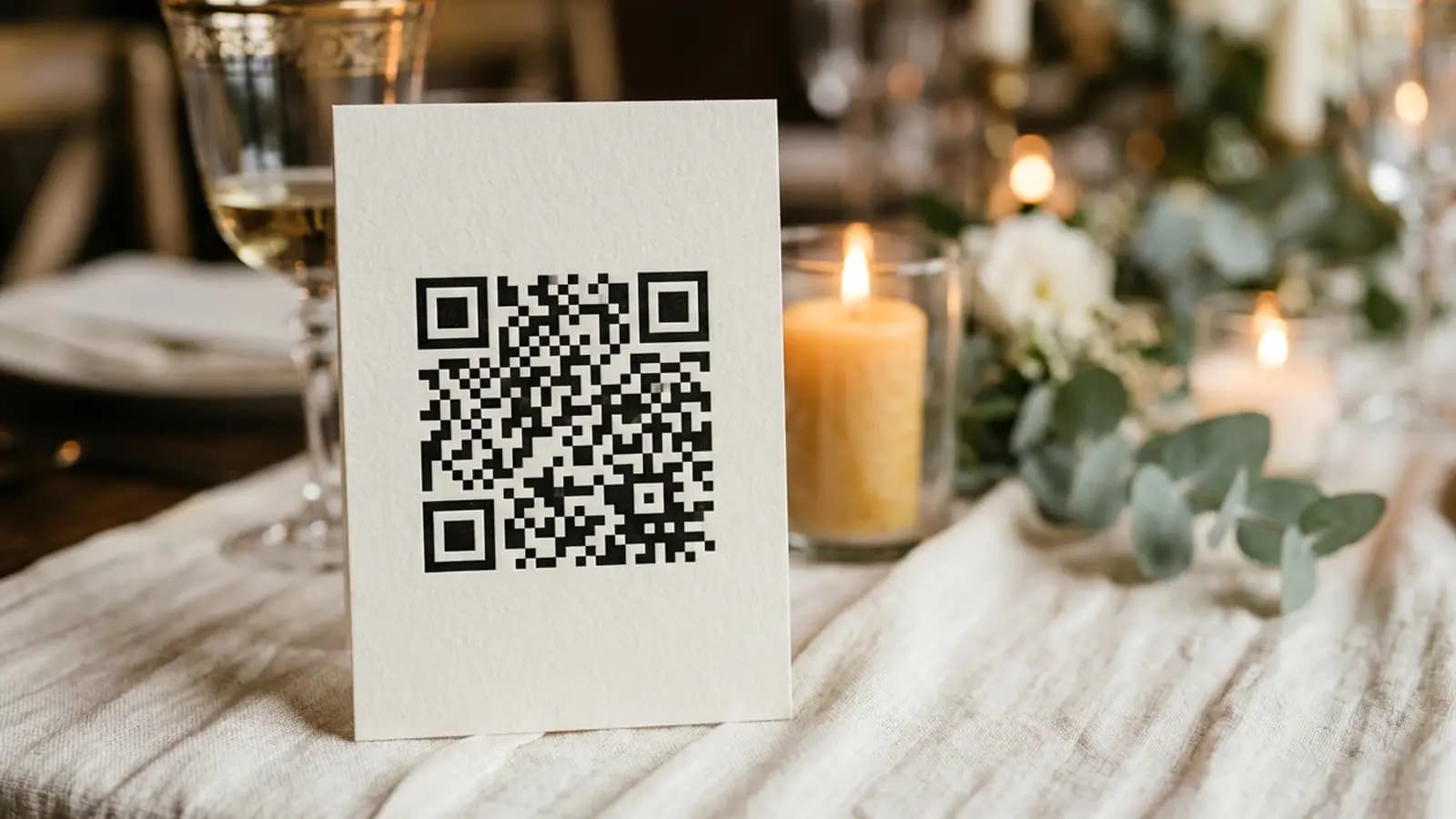
Full disclosure: we sell a wedding photo gallery that comes with its own QR code. That is a reason to be suspicious of us on this topic, so here is the most useful thing in this article stated up front, even though it does not help us sell anything: every free QR code generator produces exactly the same QR code. There is no better or worse QR code. You do not need to pay anyone to make one, and most couples should not.
What actually varies is what happens after someone scans it. That is where the free route works beautifully for some jobs and falls apart for others. Every price and limit below was read from each company's own site on October 7, 2026.
The short answer
- Best free generator overall: QR Code Monkey. Free with no account, codes never expire, unlimited scans, and you can download print-ready SVG, PDF and EPS as well as PNG.
- Best if you are already designing the sign: Canva or Adobe Express. The code generator is built into the design tool, so you are not exporting a PNG and placing it by hand.
- Best if you might need to change the destination later: Bitly, which gives you 2 QR codes a month free. Paid plans start at $10 a month for 5 codes.
- Do not use Google Forms for guest photo uploads. Google requires anyone answering a file upload question to sign in to a Google account, and there is no setting that turns it off.
- The real question is not the generator. It is what the code points to. A free generator plus a Google Drive folder costs nothing and asks every guest to sign in. A wedding gallery costs money and does not. Pick based on that, not on the QR code.
The thing most guides leave out
This article sits under our complete guide to wedding QR codes, which covers every way to use one at a wedding. This page is only about the generators.
A QR code is a picture of a URL. That is all it is. The generator encodes your link into a pattern of squares, and the camera decodes it back into the same link. A code made by a $199-a-month tool and a code made by a free one open the identical page.
There are only two meaningful variations:
Static codes contain the destination directly. They are free everywhere, they work forever, nobody can switch them off, and they cannot be changed once printed. If you print 80 table cards with a static code and the link breaks, you reprint 80 table cards.
Dynamic codes contain a short redirect URL that you control. You can repoint them after printing and you get scan statistics. The catch is that they depend on someone else's service staying up and staying paid — if the subscription lapses, the printed code stops working. This is the feature almost every QR company charges for.
For a wedding, static is usually the right choice, and our own data is the reason. Across the galleries on our platform, only about six in ten uploads arrive during the wedding or the morning after. Roughly three in ten land between two days and a week later, and about one in thirteen arrives more than a week after the day — some of it a month or more later.
Those late uploads are people scanning a photograph of your sign, taken on the night, opened again on a quiet Tuesday. A static code keeps working for them forever. A dynamic code keeps working only while someone is still paying for the account behind it. That is the opposite of how most QR companies tell this story, and it is the single most useful thing we can tell you about choosing a generator.
The one real exception: if you are printing months ahead and genuinely do not yet know where the photos will live, a dynamic code buys you the right to change your mind. Just keep the account alive well past the wedding.
What actually matters when choosing
- Whether you get a vector file. A PNG dragged larger goes soft at print size. SVG, PDF or EPS stays sharp at any size, and a printer will ask for one. This is the single most common reason a wedding QR sign looks cheap.
- Whether the code expires. Several "free" generators produce a code that quietly stops working after a trial. Read this before printing, not after.
- Whether there is a scan limit. Same problem, same solution: check first.
- What the destination asks of a guest. This is the one that decides how many photos you end up with, and it has nothing to do with the generator at all.
How we compared
We made a code on each service and read the terms on the company's own pricing or product page on October 7, 2026. Source URLs are at the end. Where a free tier has a monthly cap we have given the number rather than calling it "limited".
The generators, compared honestly
QR Code Monkey: best free generator for a wedding
Cost: free. No account needed.
What you get: static codes that, in the company's own words, do not expire and will work forever, with no limit on scans. Downloads include PNG with an adjustable resolution slider for print, plus SVG, PDF and EPS vector files — which is the part that matters and the part most free tools hold back. Colour, logo and pattern customisation are included free.
Worth knowing: PDF and EPS exports do not carry design customisations such as colour gradients, so keep it simple if you want a vector. A paid tier exists for scan statistics and editable codes.
Best for: anyone who wants a free, permanent, print-quality code and already knows where it should point.
Canva: best if you are designing the sign anyway
Cost: free, inside Canva's free tier.
What you get: a QR code generator built into the editor, so the code is placed in your design rather than exported and imported. If you are already making your welcome sign and table cards in Canva, this removes a step and a resolution problem at once.
Where it is weaker: less control over the code itself than a dedicated generator, and your code is tied to a Canva design rather than a file you own outright.
Adobe Express: the same job, a different editor
Functionally the same proposition as Canva — a free QR generator inside a design tool. Choose whichever one you already use. There is no meaningful difference in the code itself, because there cannot be.
Bitly: best if the destination might change
Cost: the free plan includes 2 QR codes per month with unlimited scans and limited colour and frame options. Paid plans are $10 a month for 5 codes, $29 a month for 10, and $199 a month for 200.
What you get: redirect capability, so you can repoint a printed code, and scan tracking. Advanced customisation such as logos and gradients sits on higher tiers.
The honest warning: a redirect only works while the account behind it is live. A printed wedding sign has a one-day job and a long tail — people scan it again weeks later from a photo of the sign. If you downgrade or close the account before then, the code dies. For most couples a free static code is safer than a paid dynamic one, and we would say that even if it were the other way round.
Google Forms plus a QR code: skip it for guest photos
This combination is recommended constantly as the free way to collect wedding photos, and it has a disqualifying condition that is almost never mentioned. Google requires anyone answering a file upload question to sign in to a Google account. Adding a file upload question forces login even when every other form setting would allow anonymous responses, and there is no way to disable it.
So the free "QR code to a Google Form" wedding photo plan puts a Google sign-in page between your guest and their camera roll. It is a good tool for collecting files from colleagues inside an organisation that already runs on Google. It is a poor one for a wedding reception, and the guides recommending it generally have not tested it from a guest's phone.
A wedding gallery: the code and the destination together
Cost: ours is $39.99 once. GuestPix, Kululu and Wedibox sell the same shape of thing at different prices, and we compared them in our honest guide to the best wedding photo sharing apps.
What is different: you are not buying a QR code — you could make that for free in thirty seconds. You are buying a destination that accepts an upload from a stranger's phone with no app and no account. The code comes with it.
With ours that means guests scan, the browser opens, and they upload. Files arrive at up to 100 MB each, stored exactly as sent with no compression, in JPG, HEIC, PNG, WebP, MP4 or MOV. There are 24 printable card and sign designs included free, which you can download as a print-ready PDF, and you can try the free template maker without buying anything. One code covers the whole weekend, from set-up until a year later.
Make the sign for free, whatever you decide about the gallery.
Our free template maker produces a print-ready wedding QR sign at no cost. Or try the guest upload flow and see what scanning actually leads to.
Free wedding QR code generators compared
| Tool | Free tier | Expires? | Scan limit | Vector file | Editable after print | Destination included |
|---|---|---|---|---|---|---|
| QR Code Monkey | Unlimited codes | No | None | SVG, PDF, EPS | Paid tier only | No |
| Canva | Included free | No | None | Via design export | No | No |
| Adobe Express | Included free | No | None | Via design export | No | No |
| Bitly | 2 codes/month | Dies if account lapses | Unlimited scans | Paid tiers | Yes | No |
| Google Forms + QR | Free | No | None | Depends on generator | No | Yes — but forces Google sign-in |
| WeddingSnap | Free template maker; gallery $39.99 | No | None | Print-ready PDF | n/a — code is fixed to your gallery | Yes, no sign-in |
Free tiers and prices read from each company's own site on October 7, 2026. See Sources.
The part that actually decides it: where does the code point?
Once you have your free code, you have to choose a destination. This is the whole decision.
- A Google Drive folder. Free, keeps originals, and uploading requires a Google account and a file-manager interface. Fine for your photographer, poor for the room.
- A Google Photos shared album. Free to 15 GB, cross-platform, holds 20,000 items. Contributing requires a Google account.
- A Google Form. Free, structured, and forces every guest to sign in to Google. See above.
- Your wedding website. Great for RSVPs, registry and directions — the best free use of a QR code at a wedding, and one we would recommend whether or not you buy anything from us. Not an upload destination.
- A purpose-built gallery. Costs money, accepts uploads from anyone with no account.
Notice that the first three free destinations all end in the same place: a sign-in screen. That is not a coincidence or an oversight on Google's part. Accepting anonymous file uploads from the public is a genuinely hard problem — spam, storage cost, moderation — and free general-purpose tools do not solve it because they were never trying to.
How to make a wedding QR code that actually gets scanned
Whatever generator and destination you pick, these are the mistakes we see most often on real wedding signage.
- Print it at least 1.2 inches square for a table card, and much larger for a welcome sign people read from a few feet away. A good rule is one inch of code for every ten inches of scanning distance.
- Leave the quiet zone. The empty margin around the code is part of the code. Designers crop it constantly and it is the number one cause of a code that will not scan.
- Keep the contrast high and the code dark on light. Inverted codes — light on dark — fail on a lot of cameras. Gold ink on cream looks lovely and scans badly.
- Use a vector file. An upscaled PNG produces soft edges, and soft edges are what a camera fails on in dim reception lighting.
- Test it printed, not on screen. Test on an iPhone and an Android, in low light, from the distance a guest will actually stand.
- Put it in more than one place. One sign by the entrance is the most common setup and the weakest. Table cards get scanned far more, because people are sitting down with nothing to do.
- Say what it does in plain words. "Scan to add your photos" outperforms anything cleverer.
For the full walkthrough, see how to make a QR code for wedding photos, and for ready-made signage, our wedding QR code sign templates. If you are weighing this against the analogue option, we also compared QR codes against disposable cameras.
Head-to-head questions we get asked
Static vs dynamic for a wedding
Static, almost always. It is free, permanent and depends on nobody. Choose dynamic only if you are printing well in advance and genuinely might change the destination — and if you do, keep the account alive past the wedding, because people scan photos of your sign for months afterwards.
A free generator plus Google Drive vs a wedding gallery
The free route costs nothing and asks each guest for a Google account and a file-manager upload. The paid route costs $39.99 and asks for nothing. If your guest list is small and tech-comfortable, the free route is a perfectly good decision and you should take it. If it is 100 people across three generations, you are choosing between a free thing a minority will complete and a paid thing most will.
Do I need to pay for a QR code at all?
No. Not for a wedding, not for anything. If someone is selling you a QR code on its own, you are being charged for a thirty-second free operation. The only things worth paying for are the destination and, occasionally, the ability to change where it points.
Frequently asked questions
What is the best free QR code generator for wedding photos?
QR Code Monkey, for most couples. It is free with no account, the codes do not expire and have no scan limit, and you can download print-ready SVG, PDF and EPS files as well as PNG. If you are already building your signage in Canva or Adobe Express, use their built-in generator instead and save yourself a step.
Can I make a wedding QR code for photos for free?
Yes. The code itself is always free. What is not free is a destination that accepts uploads without an account — every free option, including Google Drive, Google Photos and Google Forms, requires guests to sign in. You can build the whole thing for nothing if you accept that sign-in step.
Do free QR codes expire?
Static codes do not — QR Code Monkey states its codes do not expire and work forever, with no scan limit. Dynamic codes from services like Bitly keep working only while the account behind them is active, so a printed code can stop working if you downgrade or close the account.
Can guests upload photos through a QR code without an app?
Yes, if the code points to a browser-based gallery. Scanning opens a web page and the upload happens there, with nothing to install. If the code points to Google Drive, Google Photos or a Google Form, there is no app either, but there is a sign-in page — Google requires a signed-in account to answer a file upload question.
How big should a wedding QR code be printed?
At least 1.2 inches square on a table card, and larger for a welcome sign. The practical rule is roughly one inch of code per ten inches of scanning distance. Keep the blank margin around the code intact, print dark on light, use a vector file, and test the printed card on both an iPhone and an Android in low light before you order the rest.
Sources
- QR Code Monkey — free features and export formats: qrcode-monkey.com (checked October 7, 2026)
- Bitly — pricing and plan limits: bitly.com/pages/pricing (checked October 7, 2026)
- Google Docs Editors Help — file upload questions require sign-in: support.google.com/docs/answer/7322334 (checked October 7, 2026)
- Google Photos Help — shared albums: support.google.com/photos/answer/6131416 (checked October 7, 2026)
- WeddingSnap — free template maker, pricing, features