Shared Wedding Album: The Kind That Includes Everyone
WeddingSnap Team
8/4/2026
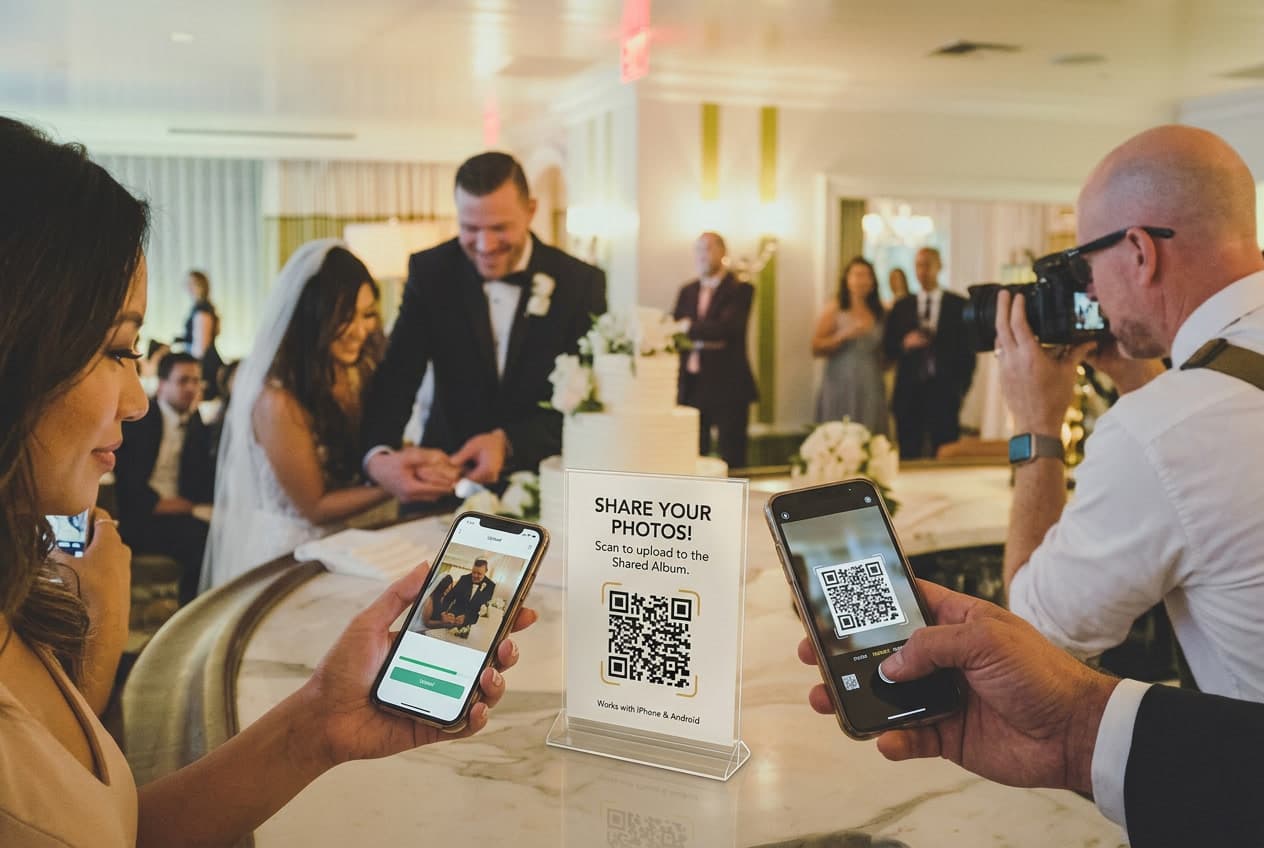
A “shared” wedding album sounds simple: one place where everyone drops the photos they took, and you end up with hundreds of angles you never would have captured on your own. The reality is messier. Most of the tools people reach for — Apple's Shared Albums, Google Photos — quietly work for some guests and not others, and you don't find out until you're staring at a half-empty album a week after the wedding.
Here's the take we'll defend for the next 1,500 words: a shared album that requires everyone to be in the same ecosystem isn't shared. It's exclusive. The genuinely shared album is the one that works for a 75-year-old great-aunt on an Android and a bridesmaid on the newest iPhone — without anyone downloading anything or signing into anything.
Why this matters more than it sounds
Your guest list is not a monolith. Roughly 40% of U.S. smartphones run Android, which means at a 120-person wedding you're looking at something like 45–50 people whose phones don't speak the same native “shared album” language as yours. That's not a rounding error. That's the entire back-left half of your reception.
And the timing compounds it. Our own platform data shows how concentrated weddings are: nearly 6 in 10 happen on a Saturday, and roughly 85% land on a Friday, Saturday, or Sunday. Everyone is celebrating in the same tight windows — April through June alone accounts for about half of the weddings we see each year, with May the single busiest month. When that many people are shooting photos in that few hours, the difference between an album that captures everyone and one that captures half of them is enormous.
So before you screenshot a Shared Album invite and call it done, it's worth understanding what each option actually does — and who it leaves out.
Apple Shared Albums: great, if every guest owns an iPhone
iOS Shared Albums are genuinely convenient — for the people they're built for. Create an album, invite contributors, and everyone with an Apple ID can add photos. If your entire wedding party and family live inside the Apple ecosystem, it can feel seamless.
The problems start at the edges, and weddings are all edges:
- Android guests are simply locked out. A native Apple Shared Album has no real path for a non-Apple user to contribute. You can send them a public web link to view, but they can't add their own photos. Half your room becomes spectators.
- Quality gets quietly downgraded. Apple resamples Shared Album photos to a maximum of about 2048 pixels on the long edge — fine for a phone screen, disappointing when you want a print. Videos and full-resolution files don't survive the trip intact.
- There's a hard ceiling. Shared Albums cap out around 5,000 photos and videos. That sounds like a lot until you remember how fast 120 people with phones fill it — and older items start dropping off once you hit the limit.
- Grandma has to figure out iCloud. Even for Apple users, “accept the invite, sign in, find the album, add photos” is four steps too many for guests who are three drinks into the reception.
You can read Apple's own Shared Albums documentation for the fine print, but the headline is unavoidable: it's a great tool for an all-iPhone group and a broken one for a mixed crowd.
Google Photos shared albums: wider reach, new friction
Google Photos is the reflexive “neutral ground” answer, and it does clear Apple's biggest hurdle — an Android guest can absolutely contribute. But it trades one lock-in for another.
- Everyone needs a Google account to add photos. That instantly excludes guests who live on iCloud, Outlook, or Yahoo and have never touched a Gmail login — which, again, skews older and skews “won't bother.”
- Uploads eat the guest's personal storage. Contributions can count against each person's own Google storage. A guest with a full account may hit an error and silently give up, and you'll never know a photo went missing.
- It doesn't feel like a wedding. There's no QR code to display, no live slideshow on the venue screen, no branding — just a generic shared folder that looks identical to a shared album of someone's home-renovation photos.
Google Photos is more inclusive than Apple's version, but “more inclusive” still isn't “inclusive.” Any solution that starts with “first, everyone needs an account” has already lost the guests who matter most — the ones who take the candid shots you'll never see otherwise.
The platform divide, in one sentence
Every native shared-album tool sorts your guests into insiders and outsiders based on which phone they bought. Apple excludes Android. Google excludes the account-less. Both add sign-in friction precisely to the guests least likely to push through it. The math of a wedding — dozens of people, mixed devices, a few short hours, no patience for setup — is exactly the scenario these tools handle worst.
If you want the full field of dedicated options side by side, our guide to the best wedding photo sharing apps of 2026 breaks down how the purpose-built platforms stack up against the DIY route.
What a genuinely shared album looks like
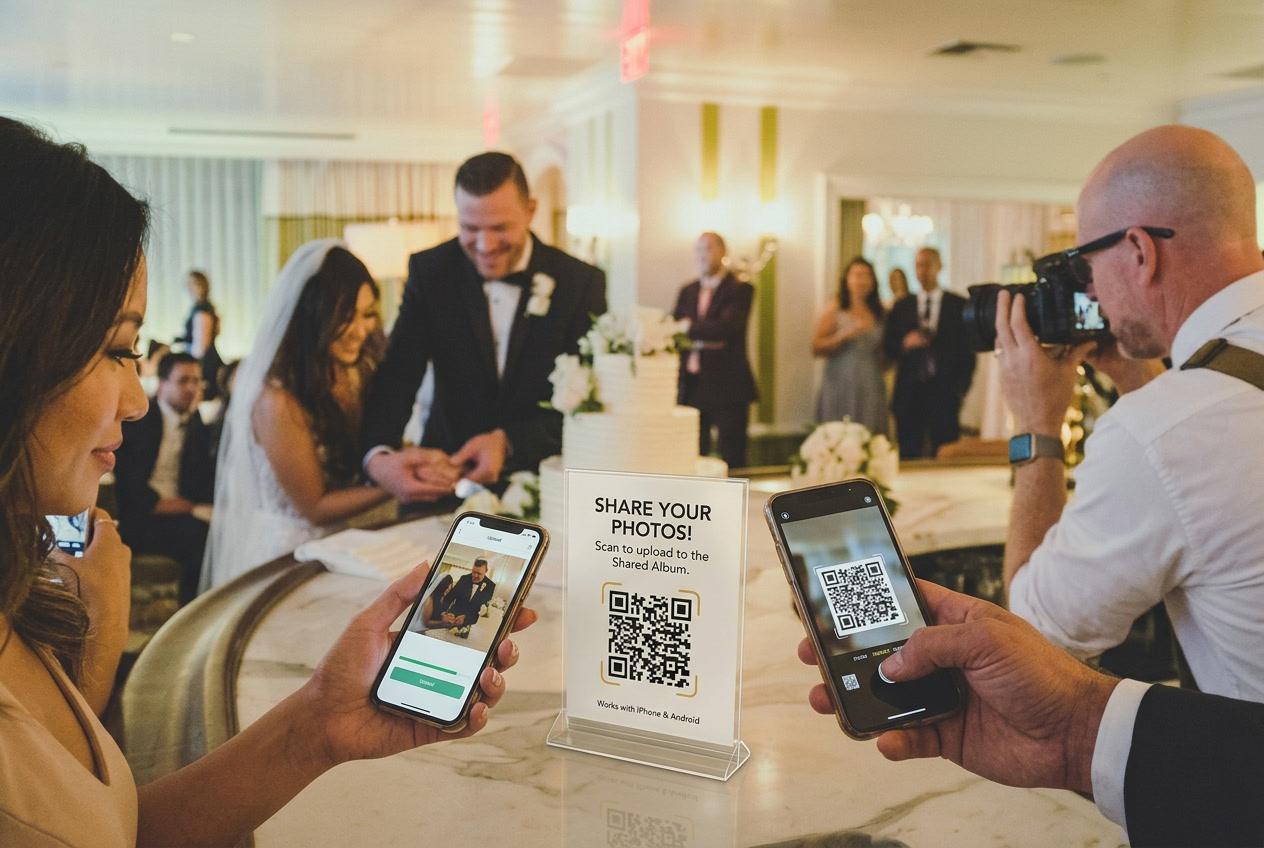
The fix isn't a better ecosystem — it's no ecosystem. A truly shared wedding album lives on the open web and asks nothing of your guests except the one thing every single phone already does: point the camera at a QR code.
Guests scan the code, a browser page opens, they tap to upload the photos and videos already on their phone, and they're done. No app store. No account. No sign-in. iPhone, Android, a five-year-old budget phone — they all hit the same page and land in the same album. That's the whole point: the album is defined by the event, not by the device.
We've written about why this QR-based format quietly beats file-dump tools like Google Drive over on our QR code photo album guide — the format mechanics live there, so we won't repeat them. The short version: a link on a card at every table collects far more photos than any invite-and-accept flow, because it removes every reason a guest might quit halfway.
This is the approach WeddingSnap is built around. One QR code, unlimited photo and video uploads at full resolution, voice messages from guests, and a live slideshow you can throw on a screen at the reception — all for a one-time $39.99, with 50 GB of storage and a year of access. No app for anyone, no per-guest accounts, no Android-vs-iPhone divide. If you'd rather not commit sight unseen, the live demo lets you scan a real code and watch a photo land before you decide.
Setting one up without excluding anyone
Whatever tool you choose, a few principles keep your album actually shared:
- Test it on the other kind of phone. If you're on an iPhone, hand your setup to an Android friend and watch them try to upload. If they can't, neither can 40% of your guests.
- Kill every login. The best possible “account” for a wedding album is no account. Each sign-in step measurably shrinks the number of guests who follow through.
- Put the code where hands already are. Table cards, the bar, the photo booth, the back of the ceremony program. Guests upload when they're reminded, not when they get home.
- Ask for full resolution. If you ever want prints, avoid any tool that resamples down to screen size. You can't recover pixels a Shared Album already threw away.
For a full walk-through of collecting from a crowd, our post on how to share wedding photos with guests covers the timing and signage side, and wedding photo sharing without an app digs into why the no-download path wins for older relatives especially.
The bottom line
A shared album isn't measured by how elegant it looks on your phone. It's measured by how many of your guests — all of them, on every device — could actually put a photo in it. By that measure, a native Apple or Google album fails the room it's meant to serve. The album that includes the Android uncle and the iPhone maid of honor equally, with nothing to install and nothing to log into, is the only one that earns the word “shared.”
Ready to build one that leaves no guest out? Set up your shared wedding album with WeddingSnap for a one-time $39.99 — or scan the live demo first to see how effortless it is on any phone.