40 Wedding Photo Prompts for Guests (Copy-Paste List)
WeddingSnap Team
8/4/2026
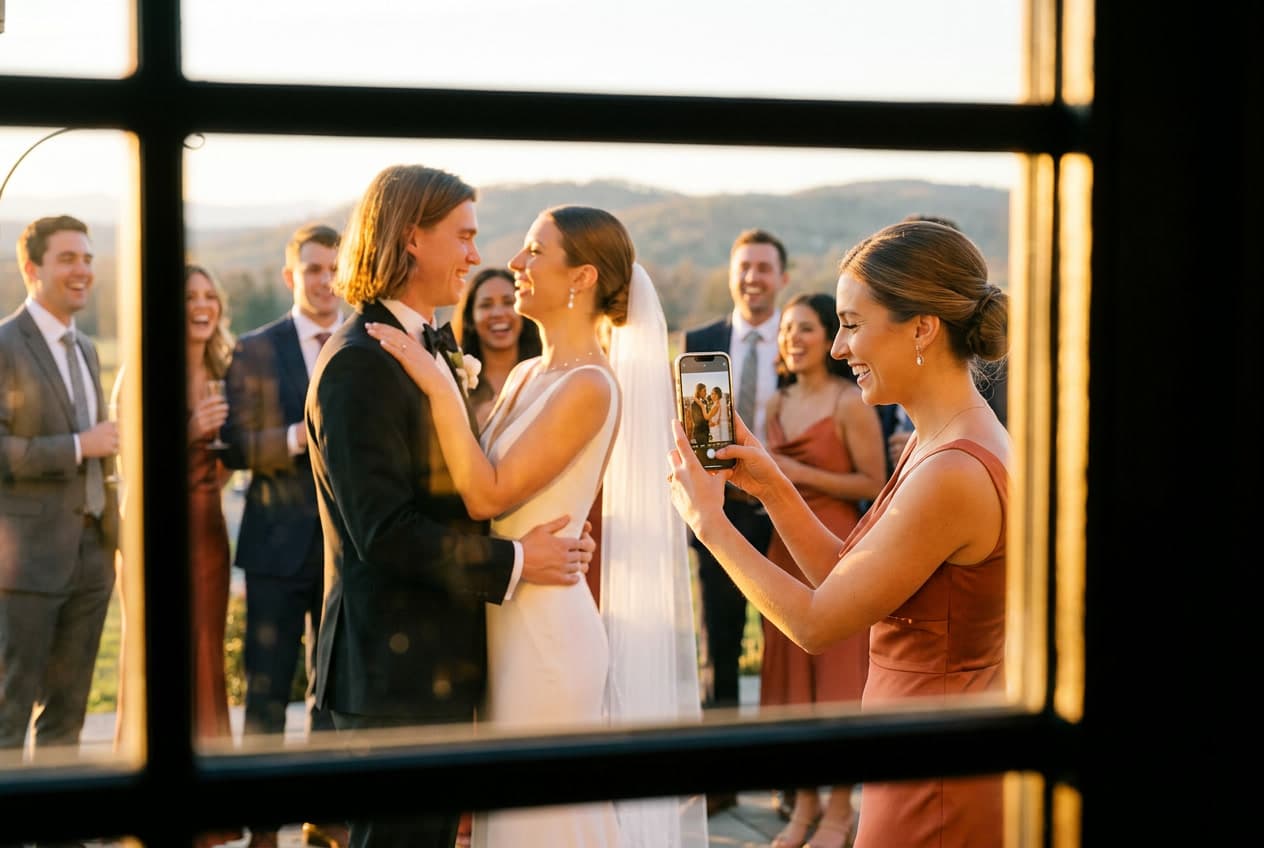
Here's the thing nobody tells you about asking guests to take photos: they want to help, but the second you hand them a camera or point them at a QR sign, their brain goes blank. "Take pictures" is not an instruction. It's a blank page. And a blank page is why you end up with forty near-identical shots of the cake table and zero of your grandmother laughing during the toast.
The fix is embarrassingly simple. You give people prompts — small, specific assignments that tell them what to shoot and where to point. "Photograph the couple's first dance" gets you one thing. "Catch someone crying during the vows" gets you the shot your photographer physically cannot be standing in position for, because they're already framing the couple.
Below is a library of 40 copy-paste wedding photo prompts for guests, sorted by the moment they belong to. Screenshot the sections you want, drop them onto a sign or into your QR photo sign template, and let your guests do what they've secretly been wanting to do all night.
Why prompts beat "please take photos"
We see the pattern in our own data constantly. Weddings are dense, fast events — on our platform roughly six in ten happen on a Saturday, and about 85% land somewhere across Friday, Saturday, or Sunday. Everything is compressed into one afternoon and evening. Your photographer is one person (maybe two) moving through a room full of simultaneous moments.
Your guests, meanwhile, are everywhere. They're at the table your photographer just left. They're in the bathroom line where the funniest conversation of the night is happening. They're standing next to your uncle when he tears up. Prompts turn 80 bystanders with phones into 80 second-shooters who each have a job.
There's a reason the industry keeps talking about candid over posed for 2026 — the genuinely un-staged, in-between moments are the ones couples treasure most, and they're exactly the ones a roaming guest catches better than a stationed pro. Prompts are how you get them on purpose instead of by luck.
If you want the bigger-picture strategy on involving your guests, start with our pillar guide to wedding guest photo ideas. This post is the deep, copy-paste library. Let's get into it.
Getting-ready prompts
The morning-of moments happen in two separate rooms, and your photographer can only stand in one at a time. Hand these to the wedding party.
- Photograph the dress (or suit) hanging up before anyone puts it on.
- Catch a candid of the couple's parent seeing them dressed for the first time.
- Snap the messy, real getting-ready table — coffee cups, bobby pins, and all.
- Photograph hands: rings going on, a boutonniere being pinned, cufflinks fumbled.
- Get one shot of the whole wedding party mid-laugh, not posed.
- Capture the quiet moment right before someone walks out the door.
Ceremony prompts
Phones down during the vows if you've asked for an unplugged ceremony — but the walk-in, the walk-out, and the reactions are fair game and often the best material.
- Photograph the couple's face the instant they see each other coming down the aisle.
- Catch someone in the crowd crying (there's always at least one).
- Get the wide shot of the whole ceremony space from where you're sitting.
- Photograph the first kiss from the guest angle — the one the pro can't get from the front.
- Snap the recessional: the couple walking back up the aisle, mid-cheer.
- Capture the officiant's expression during the vows.
Cocktail hour and candid prompts
This is the golden window. Everyone's relaxed, drinks are out, and the couple is usually off doing portraits — meaning the room is unguarded and full of real moments.
- Photograph two guests who just met and are clearly hitting it off.
- Get a candid of someone laughing so hard they're not looking at the camera.
- Snap the drink you're holding against the best background you can find.
- Photograph a small group toasting, mid-clink.
- Catch a child at the wedding doing something a child does.
- Get a photo of someone you've never met and ask their name after.
Reception and dance floor prompts
Low light, high energy, and the moments move fast. These are the ones that make people say "how did we not know this happened?"
- Photograph the couple's first dance from behind them, facing the crowd.
- Catch the exact moment the dance floor fills up.
- Get a blurry, joyful action shot — don't worry about it being sharp.
- Photograph whoever's giving the toast, then whoever's reacting to it.
- Snap the cake cutting from a side angle.
- Capture the grandparents dancing, or watching, or both.
- Get the last-song-of-the-night shot before the lights come up.
Family and friends prompts
Formal family portraits are on the shot list. These are the ones that aren't — the relationships, not the rows.
- Photograph three generations of one family in a single frame.
- Get the couple with each set of parents, candid, not lined up.
- Snap a photo of the friend group who's known the couple the longest.
- Capture two siblings mid-conversation.
- Photograph the table you're sitting at — everyone at it, right now.
Funny and personality prompts
These are the ones that get screenshotted and sent to the group chat. Let people be a little ridiculous.
Prompts work even better paired with something to hold. See our guide to wedding photo booth props for what actually photographs well.
- Photograph the worst dancer on the floor (with love).
- Get the best reaction to the toast — the funnier the better.
- Snap someone sneaking a second dessert.
- Photograph the most over-dressed and most under-dressed guest together.
- Capture a guest's shoes after they've kicked them off to dance.
- Get a group selfie where at least one person is doing it wrong.
Detail shot prompts
Couples spend months on details most guests never photograph. Assign them and you'll actually have a record.
- Photograph your place setting and the centerpiece straight down from above.
- Snap the signage — welcome sign, seating chart, bar menu.
- Get a close-up of the florals before they start to wilt.
- Photograph the favor at your seat before you pocket it.
How many prompts should you actually use?
You don't need all 40. A good rule of thumb is roughly one prompt for every two guests — so a 60-person wedding does great with around 30 prompts, and a 150-person wedding can carry 60-plus. Pick the categories that fit your day and cut the rest.
If you want to lean all the way into it as a game — points, a printed checklist, a prize for whoever completes the most — that's a full wedding photo scavenger hunt, and we've got a whole guide on running it that way. Prompts are the flexible, low-pressure version; the scavenger hunt is the structured, competitive one. Same DNA, different energy.
The part that actually makes this work: where the photos go
Here's where most prompt lists fall apart. You give people brilliant assignments, they take incredible shots — and then those photos die on 80 different phones. You never see them. This is the single most common regret we hear.
The prompts and the collection method have to live in the same place. The version that works: print your prompts right on a sign with a QR code underneath, or drop them into the album guests land on when they scan. Guest reads the prompt, takes the shot, and it uploads straight into your shared gallery — no app to download, no chasing anyone for their camera roll later. Everything they capture flows into one place automatically.
That's exactly what WeddingSnap is built for. One QR code, unlimited photos and videos from every guest, all landing in a single gallery you keep for a year. It's a one-time $39.99 — no per-guest fees, no app, no subscription. Guests can even leave voice messages alongside their photos, which pairs beautifully with a digital guest book if you're going that route.
And if your guests want to genuinely up their game, send them our short guide to wedding photography tips for guests — a few basics on light and framing turn a decent prompt into a framer.
A note on timing
One practical tip from watching hundreds of events: the months matter. Our bookings roughly double heading into spring, with April through June accounting for about half of the entire year's weddings and May the single busiest month. November has quietly become a strong off-season pick. Why does this matter for your prompts? Peak-season venues run tight, back-to-back timelines — which means your photographer has even less slack to chase candids, and your prompted guests matter even more.
Put the list to work
Copy the categories you want, get them in front of your guests, and give the photos somewhere to land. That last part is the whole game.
Ready to set it up? You can see how the guest experience works in a live demo, or grab a customizable QR photo sign template to print your prompts on. One code, every angle of your day, all in one place.