Wedding Slideshow Ideas: The Formula That Keeps the Room
WeddingSnap Team
8/4/2026
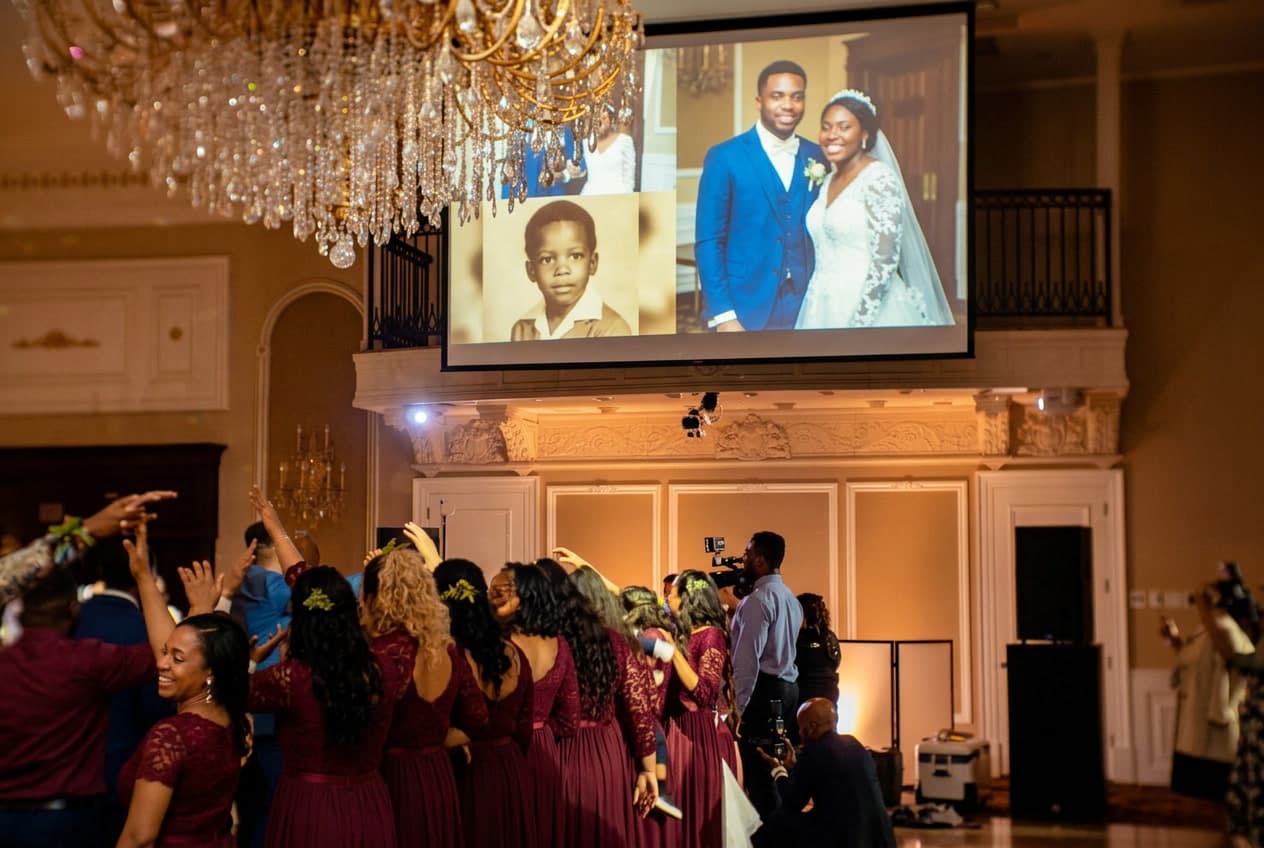
The lights dim, the DJ cues a slow song, and a slideshow of the couple starts rolling on the big screen. Ninety seconds in, guests are back on their phones. Four minutes in, someone at table nine asks how many more baby photos there could possibly be.
We see it constantly. The reception montage — the curated wedding slideshow of the couple's life from childhood to the aisle — is one of the most-loved reception moments when it's done well, and one of the most reliably skippable when it isn't. The difference almost never comes down to the photos themselves. It comes down to restraint.
Here's our stance: a great wedding slideshow is ruthlessly short and tells exactly one story. The ones that flop try to be a complete photo archive. Below is the formula we'd give any couple, plus the 2026 trend quietly making these montages watchable again.
First, know which slideshow you're making
"Wedding slideshow" actually describes two very different things, and mixing them up is the first mistake.
- The curated montage — a pre-made photo and video reel of the couple's life story, shown at the reception or rehearsal dinner. This is the one this guide is about.
- The live photo slideshow — a real-time feed where guests' photos appear on a screen as the night happens. That's a separate format with its own playbook, and we cover it in our guide to the live wedding photo slideshow.
Plenty of couples run both: the montage during dinner, the live feed later once the dancing starts. They complement each other. Just don't build one when you meant the other.
The formula: one story, under six minutes
If you take nothing else from this article, take these five numbers. They're the single biggest predictor of whether the room stays with you.
- 60 to 90 photos. Not 200. Every photo past 90 is borrowed time.
- About 4 seconds per photo. Long enough to register a face, short enough to keep momentum.
- 2 to 3 songs. Enough to shift the emotional register once or twice without turning into a playlist.
- 4 to 6 minutes total. Hard cap at 7. Past that, you are asking a fed, tipsy, excited room to sit still longer than it wants to.
- One arc. Two separate lives, then the moment they became one. Childhood, growing up, meeting, dating, the proposal, us. That's the whole story.
Most couples land somewhere between 4 and 5 minutes once they trim. That runtime is not a limitation — it's the reason people cry instead of check the time.
Why shorter genuinely works better
A montage isn't a scrapbook — it's a piece of theater with a captive audience and a ticking clock. Guests will give you their full attention for about the length of one great song. Spend three songs' worth of childhood photos and you've burned goodwill you'll want later for toasts and the first dance.
Timing matters more than most couples realize, and our data is a big part of why. Roughly 6 in 10 weddings on our platform happen on a Saturday, and around 85% land on a Friday, Saturday, or Sunday — packed evening events where the reception timeline is already fighting the caterer, the band, and last call. A tight slideshow is a gift to that timeline; a 12-minute one is a tax on it.
How to build the story arc
Structure beats volume every time. Think in four short movements rather than a photo dump:
- Two lives (60–90 sec). Alternate between each partner's childhood and growing-up years. Baby photos, awkward teen phases, the occasional gloriously bad haircut. This is where the laughs live.
- The meeting (60 sec). Early photos together, first trips, the friend-group era. The room is now rooting for them.
- Us (60–90 sec). The relationship hitting its stride — the apartment, the dog, the engagement.
- The landing (30 sec). A few of your best professional engagement photos, then a single closing frame. End on a high, not a fade.
If a photo doesn't move the story forward, it comes out. Three nearly identical vacation shots become one. Nobody has ever left a reception wishing the slideshow had been longer.
Choosing the songs
Music does the emotional heavy lifting, so pick songs that mean something to you over songs that merely sound wedding-appropriate. A few working rules:
- Open a little upbeat to match the childhood-photos energy, then move into something slower for the "us" section.
- Use lyrics that aren't distractingly on-the-nose — a song literally about a wedding can feel like karaoke.
- Test the full runtime against the actual tracks. You want a song change to land on a section change, not mid-baby-photo.
Reliable crowd-pleasers: "A Thousand Years" by Christina Perri, "All of Me" by John Legend, and "You Are the Best Thing" by Ray LaMontagne for the upbeat open. Build the photo edit to the music, not the other way around.
The 2026 twist: vertical clips and guest cameos
The montage that felt fresh this year isn't a wall of glossy photos — it's mixed media shot on phones. Couples are dropping in short vertical video clips: a five-second voice note from a college roommate, a phone clip of the dog reacting to the "we're engaged" news, a grandparent's one-line blessing.
It reads as more intimate than a polished photo grid precisely because it looks like real life — part of the wider move toward phone-first, guest-submitted wedding content.
The catch is sourcing those clips. The easiest path we've seen: collect them the same way you collect everything else from guests — a shared upload link people can send photos and short videos to before the day. That's the same guest-photo pipeline behind a QR code photo album, just pointed at your slideshow instead of your final gallery. Ask three or four people for a 5-second clip a month out, and you'll have plenty to weave in.
The mistakes that lose the room
Almost every slideshow that bombs makes at least one of these:
- Too long. The cardinal sin. If you're unsure, cut it shorter.
- Low-res phone screenshots. A screenshot of an Instagram photo looks like mud on a projector. Use the original file whenever you can.
- Mismatched aspect ratios. Vertical phone photos pillar-boxed with huge black bars on either side kill the flow. Decide on one orientation, or design for the mix on purpose.
- Bad or licensed music. A muted slideshow because the venue's stream got copyright-flagged is a preventable heartbreak. Confirm playback with your DJ or coordinator ahead of time.
- Inside jokes with no setup. Half the room won't get them. A little context on a title card goes a long way.
- Playing it at the wrong moment. Slot it during dinner when people are seated and fed — not right as the dance floor finally opens.
Who should actually make it
You do not need to hire anyone. A montage this size is a weekend project in Canva, iMovie, or Adobe Express, and building it yourself means you control the story. Hand it off only if you genuinely won't have the hours — a videographer or freelance editor can turn your selects around quickly. Either way, the photo-gathering is the real work, and it's worth starting early: chasing your future in-laws for baby photos always takes longer than you'd think.
When you're planning the broader reception flow around it, our roundup of wedding reception entertainment ideas covers where the slideshow fits alongside toasts, games, and the dance floor.
Seasonal planning note
One more reason to start early: you're probably marrying in a crowded stretch. About half of the weddings we see each year fall between April and June, and May is our single busiest month — so every editor and videographer you might lean on is slammed at once. Build a spring slideshow well ahead. (A quiet perk of a November date, a surprisingly strong off-season month in our data: vendors have room to breathe, and so do you.)
Put it together
Keep it under six minutes, tell one story, use two or three songs that mean something, mix in a few phone clips, and play it during dinner. Do that and the montage becomes the moment people quote in the group chat the next morning. The reception montage and the live guest feed are the two halves of a modern wedding's photo story — the curated look back and the candids in real time. For the full picture, see our guide to the best wedding photo-sharing apps of 2026.
Want the other half of the story — the candids from the night itself?
WeddingSnap gives every guest a QR code to upload photos and short videos, plays them on a live slideshow, and collects everything in one gallery you keep for a year. One-time $39.99, no app to download. See how it works in a live demo or check the pricing.
Frequently asked questions
How long should a wedding slideshow be?
Four to six minutes, with a hard cap around seven. That's long enough to tell the couple's story and short enough to keep a seated, celebrating room fully engaged. When in doubt, cut it shorter.
How many photos should a wedding slideshow have?
Around 60 to 90 photos at roughly 4 seconds each. Past 90, attention drops fast. Cull hard — near-duplicates become one photo, and anything that doesn't move the story forward comes out.
How many songs do you need for a wedding slideshow?
Two or three. That's enough to shift the mood once or twice — an upbeat open for childhood photos, something slower for the recent years — without it feeling like a full playlist. Time your photo edit so song changes land on section changes.
When should you play the slideshow at the reception?
During dinner, when guests are seated and fed and happy to watch a screen. Avoid the moment the dance floor opens — you'll be competing with the party you just started.
What's the difference between a wedding slideshow and a live photo slideshow?
A curated slideshow is a pre-made montage of the couple's life story, made in advance. A live photo slideshow shows guests' photos on a screen in real time as the night unfolds. Many couples do both: the montage at dinner, the live feed during dancing.