The 90s Wedding Video Is Back: How to Get the VHS Look
WeddingSnap Team
11/24/2026
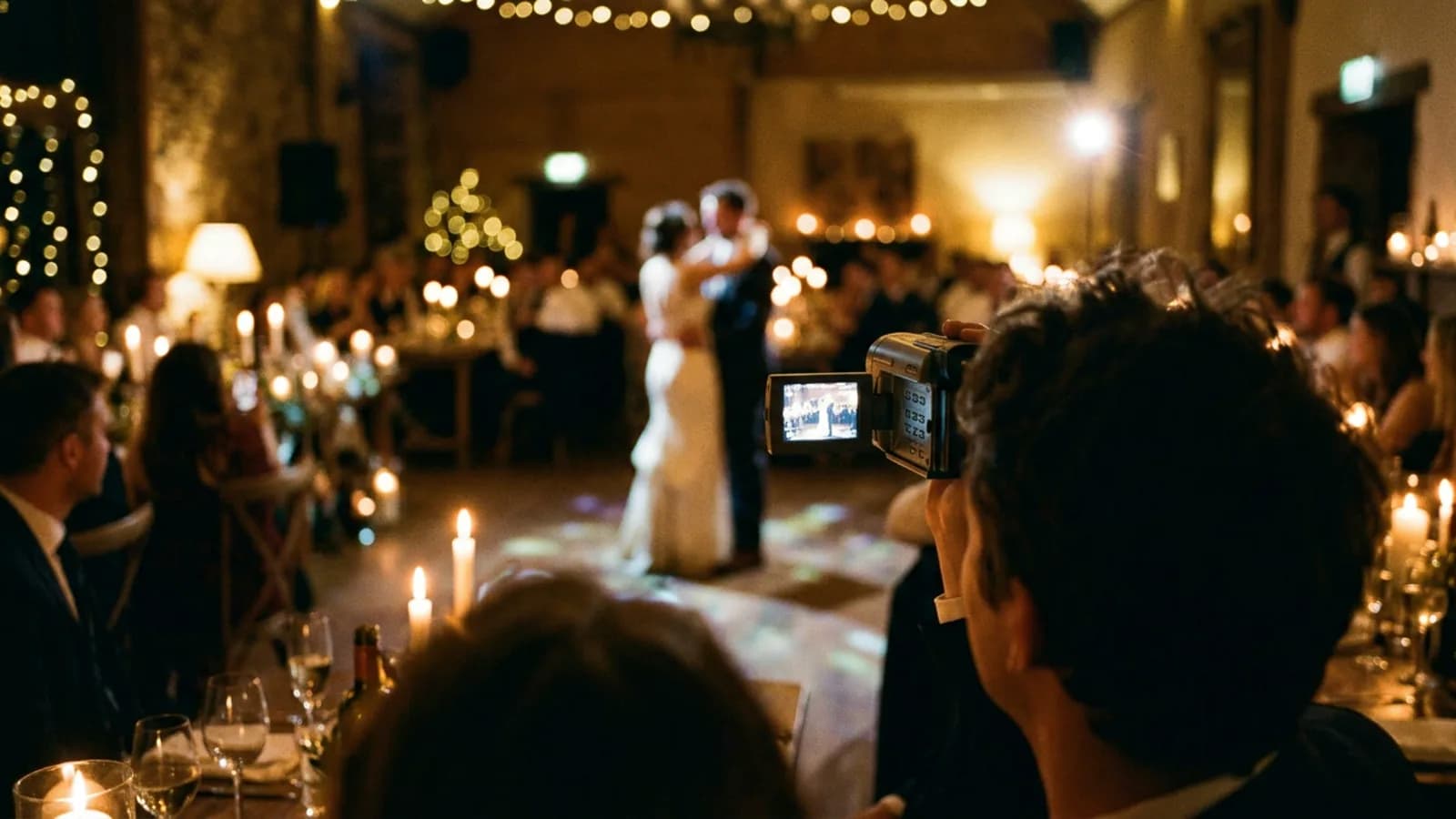
You've seen them on TikTok: a 90s wedding video that looks pulled off a tape in your parents' cupboard. Boxy frame, soft picture, a cousin narrating, a zoom that lands on the cake a beat late. And you want one.
Most posts stop at "get a camcorder". The camera is only a third of the look; the rest is how the footage is shot and cut. Here are all three, then the four realistic ways to get it, with prices checked on November 24, 2026.
The short answer
- The look comes from three things: the camera (soft, boxy, blown-out highlights), the behavior (handheld, guests talking to the lens, long takes) and the edit (natural sound, hard cuts, no slow motion).
- Behavior matters most. A sharp modern camcorder used like a 1996 home video reads as "home video". A real tape camera used like a cinematic videographer doesn't.
- A real tape camcorder is cheap to buy (tested MiniDV cameras were listed around $60 to $110 on eBay when we checked), but tapes, batteries and digitizing add cost and risk.
- Four routes: a vintage camcorder, a modern camcorder shot 90s-style, a Super 8-style camera for a 70s look, or a videographer with a camcorder package.
Why the 90s wedding video came back
It took off on social media. In February 2025, Upworthy covered a bride who skipped a videographer and passed a friend's early-2000s home camcorder around her guests. Her TikTok of the footage reached millions of views. By June 2025, THE WED was listing "handycam captures" and grainy home-movie edits among its wedding content trends.
Then professionals started offering it. NPR reported in July 2026 that wedding photographer Christina Berkett now films more ceremonies and speeches on an old-school camcorder, and couples pay extra for it. Her explanation: "They want it to feel like it's a home video." She added that couples don't want grain for its own sake; they want it to feel real.
Search demand followed. Google's keyword data shows "wedding camcorder" at about 390 searches a month in the US, up roughly 182% year on year, a category that barely existed before January 2026.
What actually makes a video look like a 90s home video
1. The camera
- A boxy 4:3 frame. TVs were 4:3, so camcorders filmed that way. This is the single fastest visual cue. Widescreen reads modern.
- Soft resolution. VHS resolves about 240 TV lines, roughly 333×480 pixels of detail. Hi8 (1989) was rated at around 400 lines, and MiniDV (from 1995) records 720×480. A 4K frame holds about 50 times more pixels than VHS. That softness is a large part of the charm.
- Auto everything. Old camcorders set exposure and focus on their own, often late. Walk toward a window and the picture blows out to white, then slowly recovers. Focus "hunts" when someone steps close. In a 90s video that's the look.
- The date stamp. The blocky date in the corner was a camera setting, burned into the tape. It's the most recognizable detail, and the easiest one to fake later.
2. The shooting style
- Handheld, one person's point of view. No tripod, no gimbal.
- People talk to the camera. In a 90s video the guests know it's there. They wave, say something to "the future", and ask "is it on?"
- Crash zooms. Fast, slightly clumsy zooms onto a face or the cake, then a slow drift back out.
- Long, unbroken takes. The whole toast, start to finish, from a table in the middle of the room. Nobody was thinking about "coverage".
- A narrator. Every family tape has one: the uncle or aunt commenting under their breath.
- The boring bits. Someone filming the empty room, the parking lot, the buffet. These make it feel like a real tape, not a music video.
3. The edit
- Natural sound first. Hear the room: the laughter, the clinking glasses, the DJ in the background. A song over everything turns it into a modern highlight film.
- Little or no slow motion. It's the signature of the cinematic wedding film, not a home video.
- Hard cuts, in order. One clip after another, mostly chronological, no fancy transitions.
- Keep some mistakes. A focus miss, a blown-out window, a thumb at the edge of frame. Keep a few and it looks like a memory, not a filter.
4 honest ways to get the VHS look
| Route | Rough cost | Look | Main risk |
|---|---|---|---|
| Vintage tape camcorder | About $160–$310 for a camera, tapes and digitizing | The real thing: soft, 4:3, tape artifacts | Dead batteries, failing tapes, dark receptions, no edit |
| Modern camcorder, 90s style | Your own gear, or a rental | Home-video behavior, sharp picture; VHS filter optional | Looks modern if guests film it "too well" |
| Super 8-style camera | Rental, or real Super 8 from a filmmaker | Warm, grainy, 70s home movie | It's an older look than the 90s |
| Videographer with a camcorder package | One studio we found lists $1,800 for 6 hours | Real vintage gear, shot by a pro | Price, and fewer guest-POV moments |
Prices from the sources listed at the end, checked November 24, 2026. Used-camera prices are asking prices on eBay listings, not sold prices.
Route 1: Buy a vintage tape camcorder
The purist's route, and cheaper than you'd think. Tested, working MiniDV camcorders on eBay were mostly listed at $60 to $110 when we searched, with reconditioned units around $160 to $200.
Which format? VHS-C and Hi8 give the softest, most analog look. MiniDV is digital tape: a little cleaner, still 4:3, unmistakably early-2000s, and the easiest to buy tapes for. Sealed 60-minute tapes were listed at roughly $5 to $10 each, mostly old stock, so buy spares.
Then you digitize it. Capture charges $19.99 per MiniDV tape for standard definition, $29.99 for full HD and $39.99 for 4K, with a typical 2–3 week turnaround. EverPresent lists $24 per tape for up to 10 tapes, plus a $50 order fee. DIY means a FireWire connection for MiniDV, or analog capture hardware for VHS-C and Hi8.
Rough total for one camera, four one-hour tapes and digitizing: about $160 to $310 depending on resolution, plus a spare battery and shipping.
Plan for the risks:
- Batteries. Capture warns that many original batteries no longer hold a charge. Buy a new aftermarket battery, test it, and keep the camera's AC adapter at the venue.
- "Powers on" isn't "works". As Capture's buying guide notes, power doesn't prove it records. Buy a tested unit and shoot a full test tape before the wedding.
- Low light. Old sensors struggle in dim receptions. Dance-floor footage can turn into dark blobs.
- Old tapes fail. Head clogs and dropouts happen. Clean the heads, and don't reuse an old family tape.
- Nobody edits it. You'll end up with hours of raw tape. Decide now who will cut it down.
A middle path: some eBay sellers list vintage camcorders modified to record to a memory card, at around $300 to $500. Old sensor and lens, no tapes or digitizing.
Route 2: A modern camcorder, shot the 90s way
The part nobody says out loud: most of what people love in these videos is the behavior, not the tape. A modern camcorder captures the narrator, the long toast and the clumsy zoom just as well, and it also handles a dark reception, records for hours and gets clear sound.
To push it toward the 90s:
- Hand it to guests, not a professional, and use the shot list below.
- Turn off any "cinematic" modes, and leave slow motion alone.
- For the full VHS treatment, add it yourself in editing: crop to 4:3, soften, add a date stamp and a little tape noise. Many editing apps include a VHS-style effect. Not every editor or rental does this for you, so ask.
The upside: you choose how retro to go after the wedding. A blurry tape can't be made sharp; a sharp file can always be made to look old.
Full disclosure: we run a wedding camcorder rental. Our wedding camcorder rental sends you a 4K camcorder with a flip-out screen, 24x zoom and a bright lens for dim rooms. Guests film like it's 1996; the footage stays sharp. Our editors don't add a VHS filter or date stamp, but you can download every second of raw footage and add them yourself.
Route 3: A Super 8-style camera, for an older look
If what you love is warm color, heavy grain and the flicker of an old family movie, you may be thinking of the 1970s, not the 1990s. Super 8 film has no date stamp, and home movies shot on it were often silent: golden, grainy and dreamy.
Two ways to get it. Real Super 8 film is shot by a filmmaker, developed and scanned; one western New York studio lists Super 8 packages from $2,800, and our Super 8 wedding video guide covers that route. Or use a Super 8-style video camera that records to a memory card with the look built in. That's the second option in our rental: five film looks including black and white, no screen, point and pull the trigger.
Route 4: A videographer who offers a camcorder package
Some wedding filmmakers now shoot on real vintage camcorders. The same New York studio lists a "DadCam" collection at $1,800 for 6 hours, and says the home-video warmth comes from the equipment, not an effect. A pro handles the low light and the edit.
The trade-off is cost and point of view. A professional is one person at the edge of the room, and the funniest 90s-video moments (the narrator, the kids' table, the rambling toast) come from guests holding the camera. For the full cost comparison, see wedding videographer cost vs. a camcorder kit.
The 90s home video shot list
Left alone, guests barely film: on our platform about 93% of guest uploads are photos and only about 7% video. A dedicated camera and a short list fix that. These twelve shots are written for the 90s look; for general camcorder prompts, our guest camcorder trend guide has a separate list.
- The tape opener. Someone holds the camera on themselves and announces the date, the place and whose wedding it is, like the start of every family tape.
- The venue tour. Walk the empty room before guests arrive, narrating like a realtor.
- The hairbrush interview. One guest plays reporter with a fake microphone (a spoon, a rolled-up program) and asks tables for predictions.
- The narrator. Give one funny relative the camera during cocktail hour and ask them to commentate under their breath.
- The crash zoom. Zoom fast onto the couple at their table, hold, then drift slowly back out.
- A whole toast, uncut. Film one speech start to finish from a guest table, not the front. Don't stop recording until the glasses clink.
- Kid height. Let a kid film (with an adult nearby), or film at their eye level: the dance floor from knee height.
- "Say something to the future." Grandparents and older relatives, one line each, straight to the lens.
- The forgotten camera. Set it on a table pointed at the dance floor and leave it recording for five minutes. Nobody performs for it.
- Window walk. Film walking from inside toward a bright doorway or window, and let the picture blow out. Don't fix it.
- The getaway, through the crowd. Film the exit from inside the crowd, sparklers and all, then turn around and catch the guests' faces.
- The sign-off. At the end of the night, someone says goodnight to the camera, then a hand reaches for the lens. Cut.
To get a message from every guest, not just the grandparents, add an audio guest book.
Do you need the real tape?
Our honest take: buy a real tape camcorder if you love the process, have someone to test it and digitize the tapes, and can live with some unusable footage. It's the most authentic route, and cheap if things go right.
If you want the feeling, not the hobby, go modern and shoot it the 90s way. Your guests' behavior does most of the work, and you can still see the dance floor. Add the VHS filter later if you still want it.
Either way, collect your guests' phone clips too; they belong in the same tape-style edit. Our guide to how wedding camcorder rental works covers what to check before you book anyone's kit.
The home-video feel, without hunting for tapes
Rent a camcorder for your wedding: choose a sharp 4K camcorder or a vintage-look Super 8 camera, and your guests film the whole weekend. Guests also upload their phone footage with your own QR code, no app needed, and our editors cut everything into a 4–6 minute film (6–8 with two cameras). Every second of raw footage is yours to download. $699 for one camera or $949 for two, shipping both ways included, within the US.
FAQ
How do I make my wedding video look like a 90s home video?
Combine three things: a camcorder or a 4:3 crop, a home-video shooting style (handheld, guests talking to the camera, long unbroken takes, a narrator) and a simple edit with natural sound, hard cuts and no slow motion. The shooting style matters most.
What camera was used for 90s wedding videos?
Mostly consumer tape camcorders: full-size VHS, compact VHS-C, Video8 and Hi8, and from 1995 the digital MiniDV format. They filmed in a boxy 4:3 frame at far lower resolution than today's cameras.
How much does a vintage camcorder cost?
On November 24, 2026, tested MiniDV camcorders were listed on eBay for about $60 to $110, and reconditioned ones for about $160 to $200. Budget extra for tapes, a new battery, and digitizing at roughly $20 to $40 per tape.
Can you add a VHS filter to a modern wedding video?
Yes. Crop to 4:3, soften the image, add a date stamp and a little tape noise in your editing app. It's easiest to do on raw footage, and it works best when the footage was already shot in a home-video style.
Is a Super 8 look the same as a VHS look?
No. Super 8 is film from the 1960s and 70s: warm, grainy, flickering and often silent. VHS and other tape camcorders are 80s and 90s video: no film grain, a soft electronic picture, recorded sound, a date stamp and blown-out highlights.
Sources
- NPR (via NHPR) — The 2000s called. They want their digital camera back, Alina Selyukh, July 18, 2026: wedding photographer filming ceremonies on a camcorder. Read November 24, 2026.
- Upworthy — Couple ditches the fancy wedding videographer and films on a retro camera instead, February 7, 2025.
- THE WED — 14 Wedding Content Trends Taking Over 2025, June 9, 2025: "handycam captures" and nostalgic edits.
- Wikipedia — VHS, Hi8 and DV: resolution, launch years and FireWire.
- Capture — The best 90s camcorders (April 2026) and vintage camcorder buying guide (August 2026): used prices, batteries, testing.
- Capture — MiniDV to digital and EverPresent — MiniDV to digital: digitizing prices. Read November 24, 2026.
- eBay Buy It Now listings for tested MiniDV camcorders and sealed 60-minute MiniDV tapes, searched November 24, 2026 (asking prices).
- Nightfox Films — DadCam and packages: a videographer's camcorder and Super 8 pricing. Read November 24, 2026.
- Google Keyword Planner (US), via our research tools: "wedding camcorder" search volume and trend.
Related reading: the best camcorder for a wedding, digital disposable cameras for weddings, and how wedding camcorder rental works.